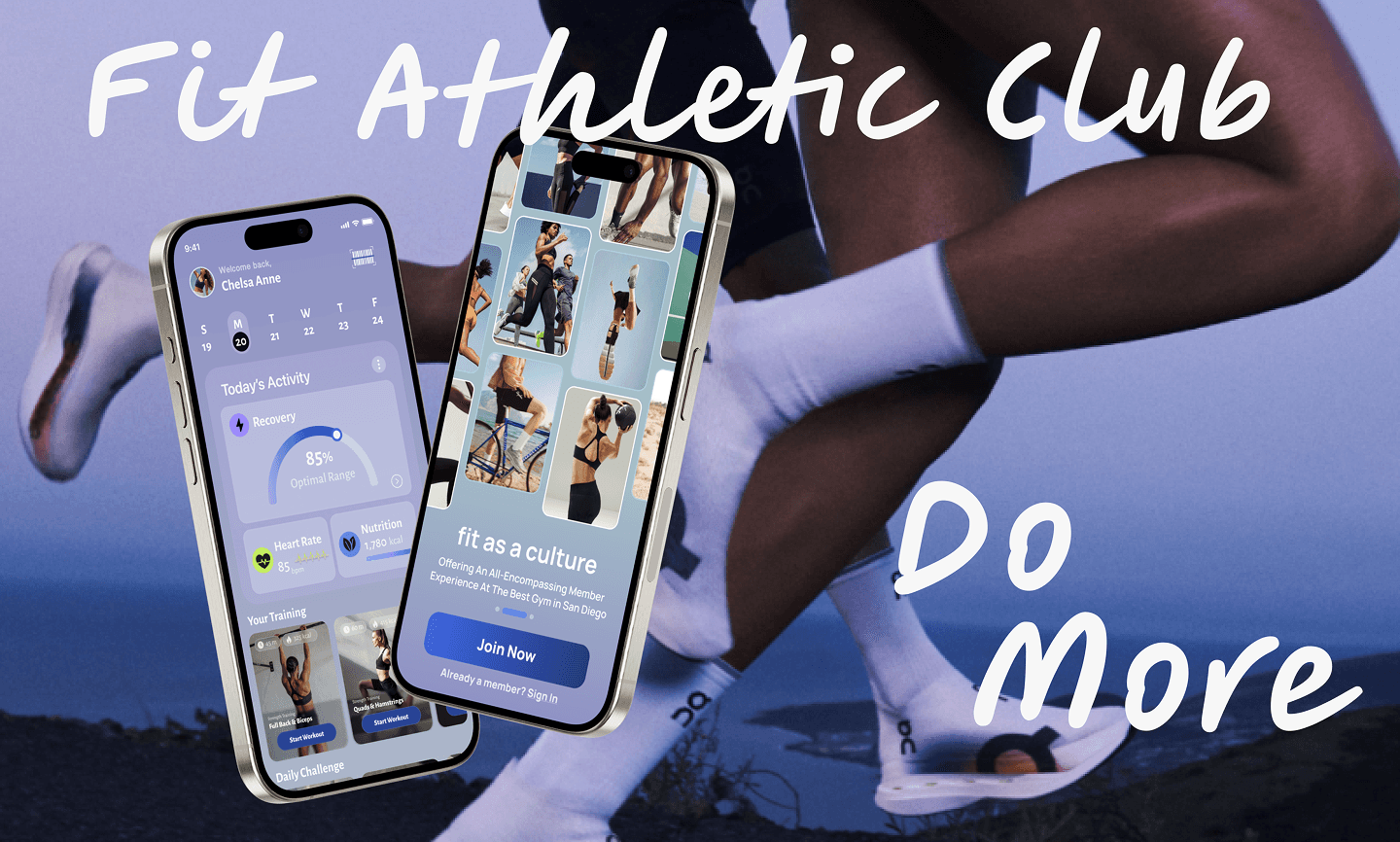
Fit Athletic Club
Fit Athletic needed an all-encompassing fitness app with health metrics, workouts, and scheduling directly integrated into the app instead of third-party tools to prioritize engagement and retention.
Mobile Design

Project Overview
Client: Fit Athletic Club, a premium San Diegan gym
Industry: SaaS, Fitness & Wellness
Timeline: 16 weeks (2024-2025) & August 2025 – November 2025 (Revisit)
My Role: UX/UI Designer | UX Researcher
The Challenges & Purpose
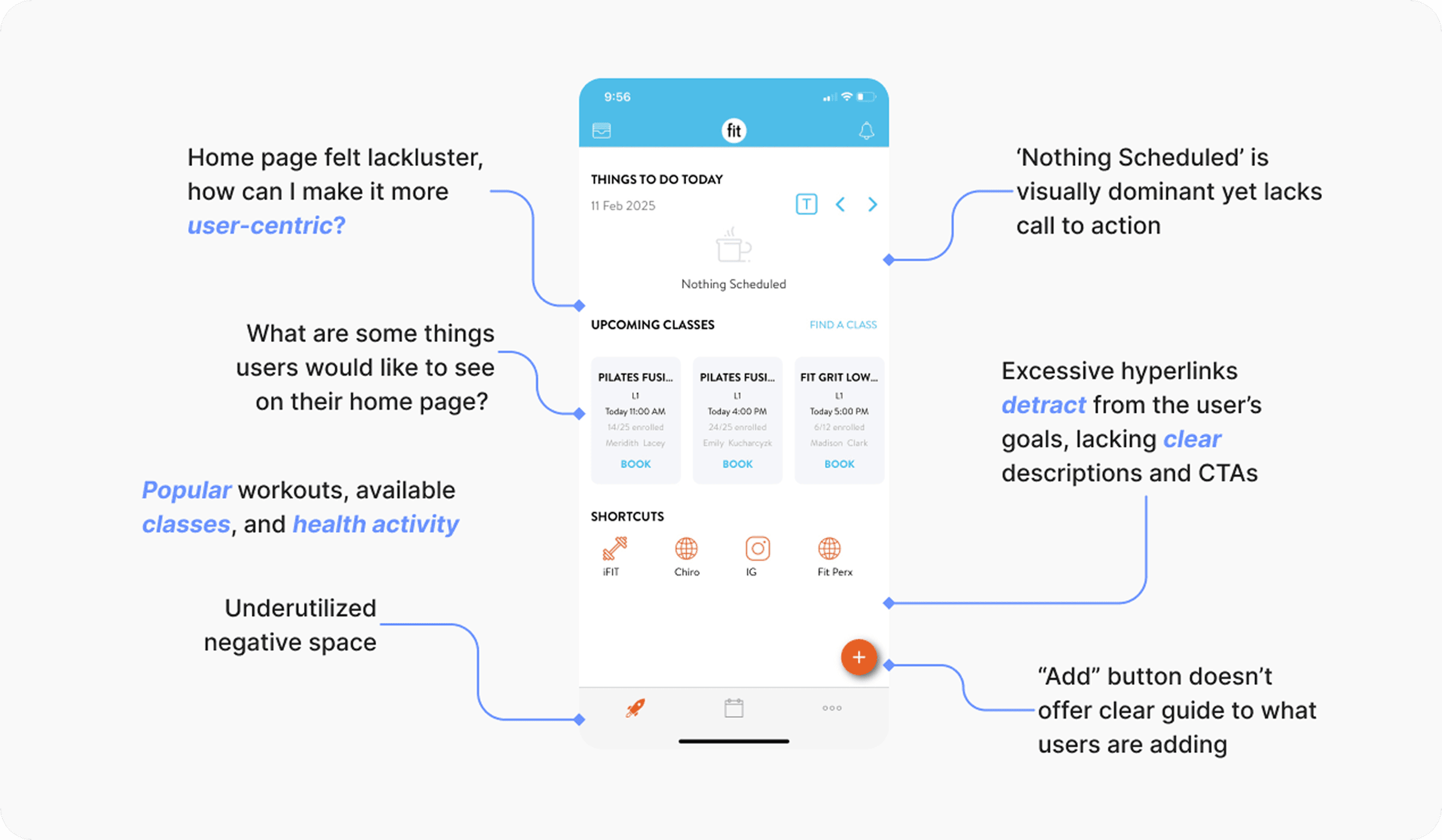
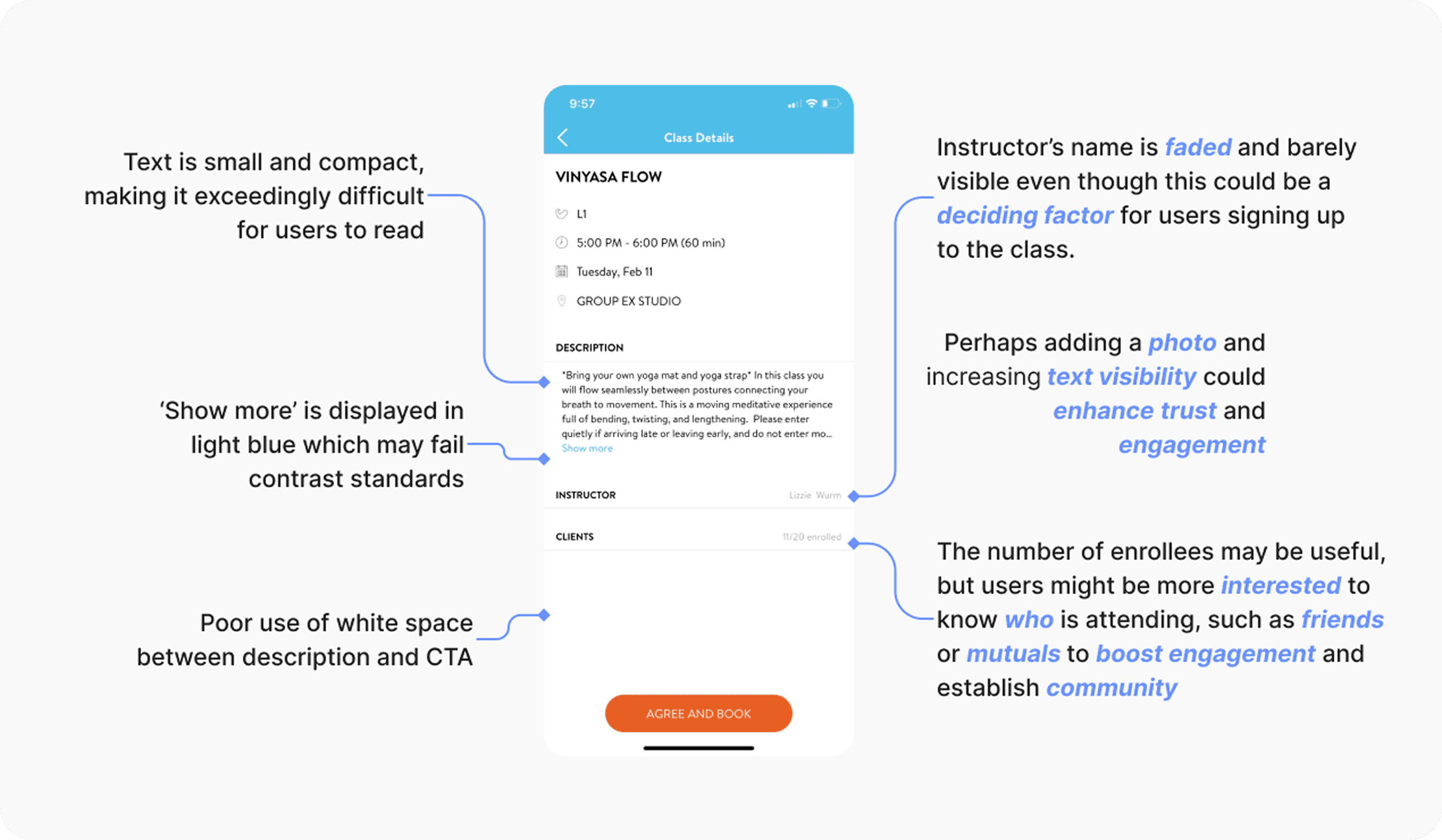
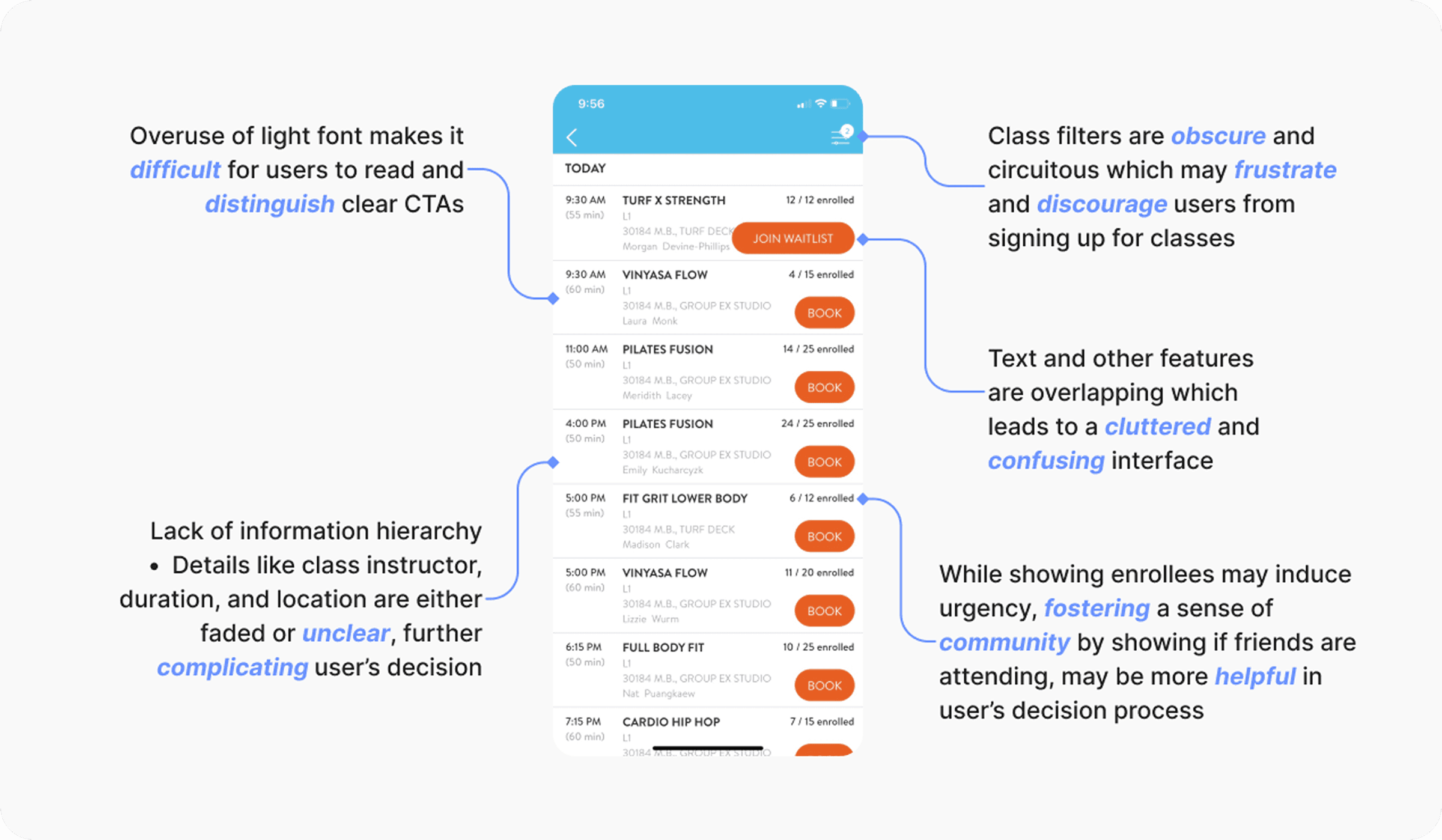
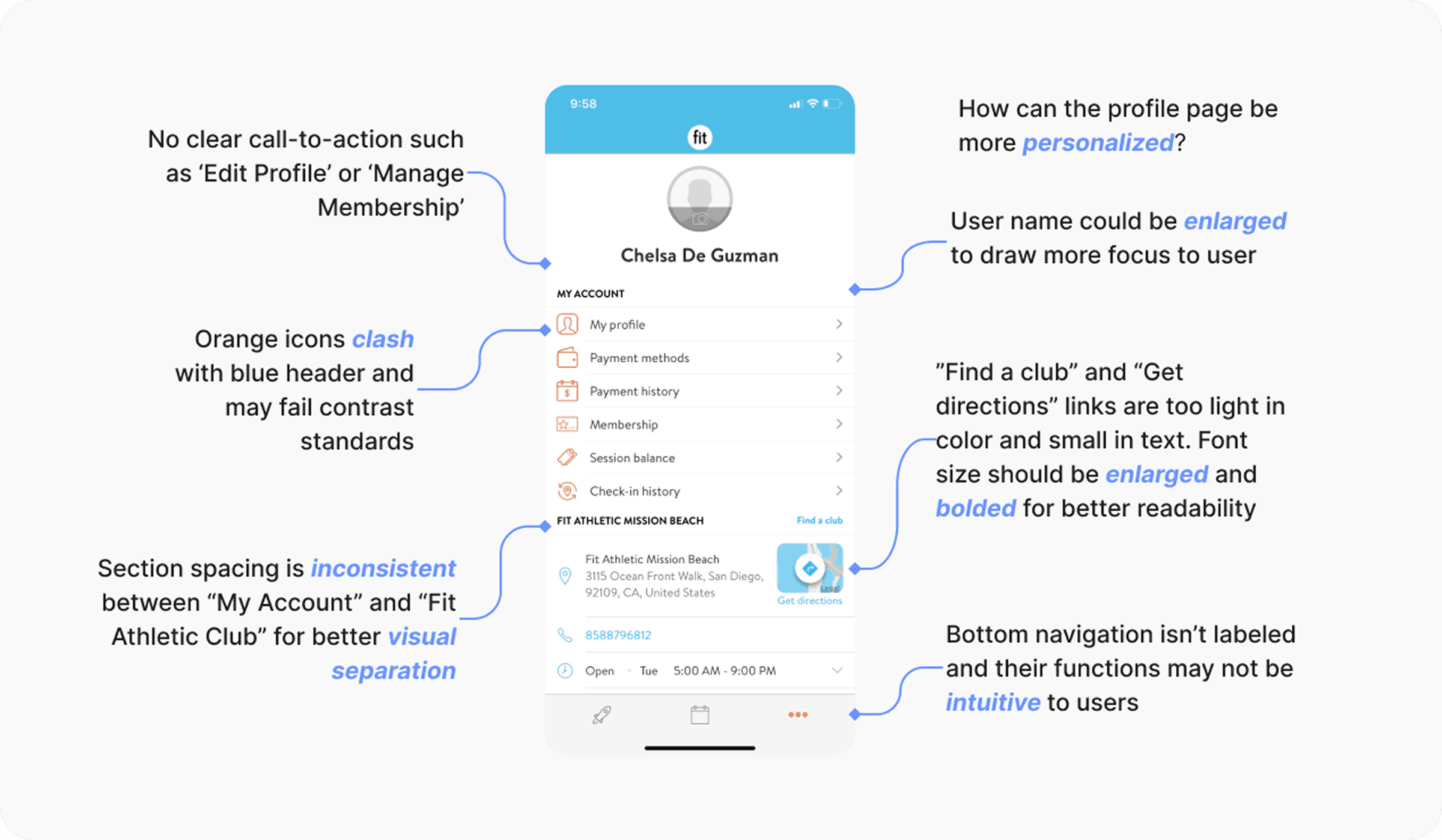
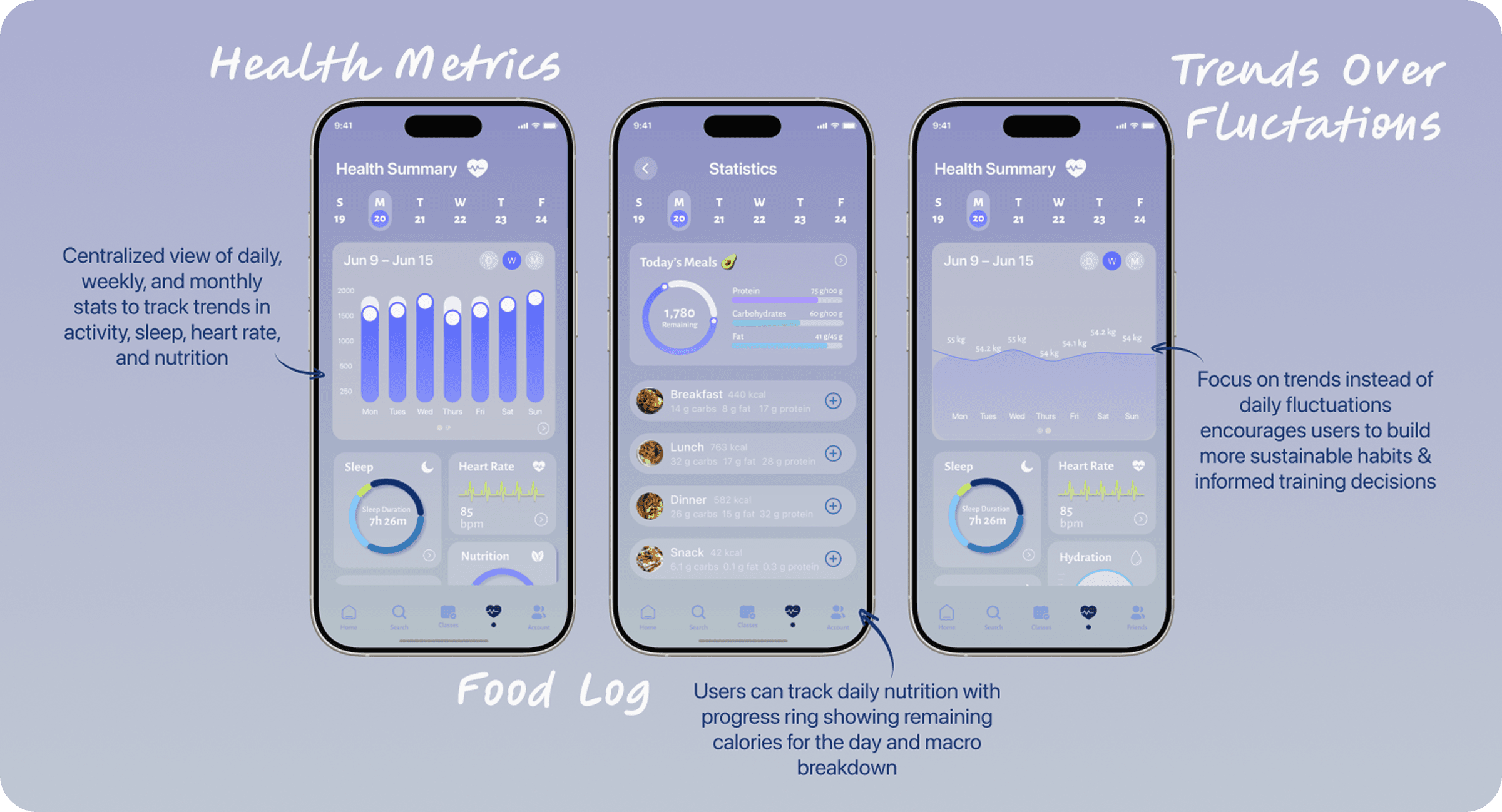
While Fit’s app has a lot to offer its members, there were a ton of hyperlinks that drew away from the app’s potential. Without a trainer inputting your workouts through Trainerize, the only primary function of the app was to book a class. There was no way to view your macro input or sync your devices to view your activity levels throughout the day. Essentially, it was an app that functioned more like a platform for secondary and tertiary applications as opposed to centralizing all nutritional and fitness information for its members.
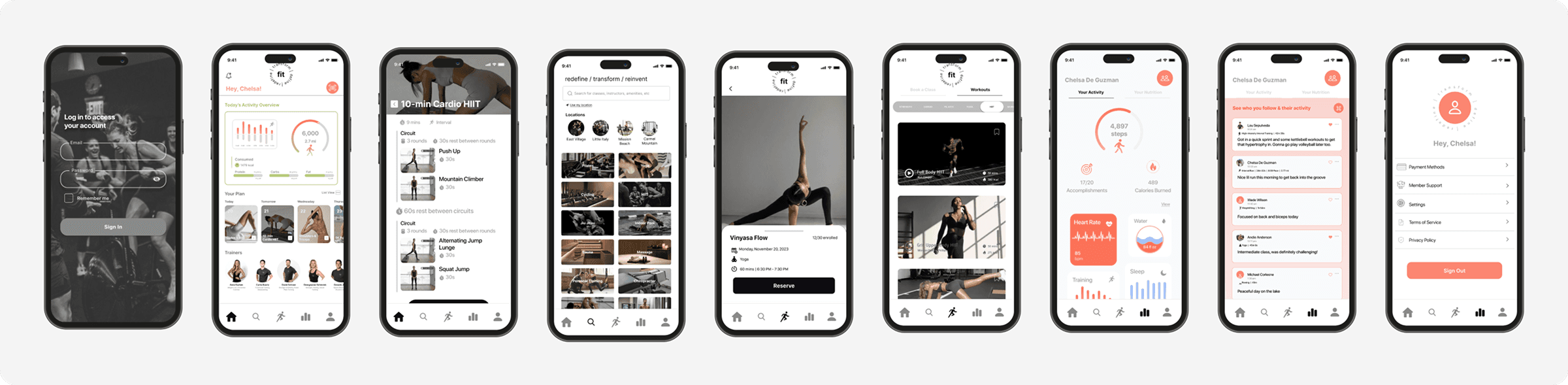
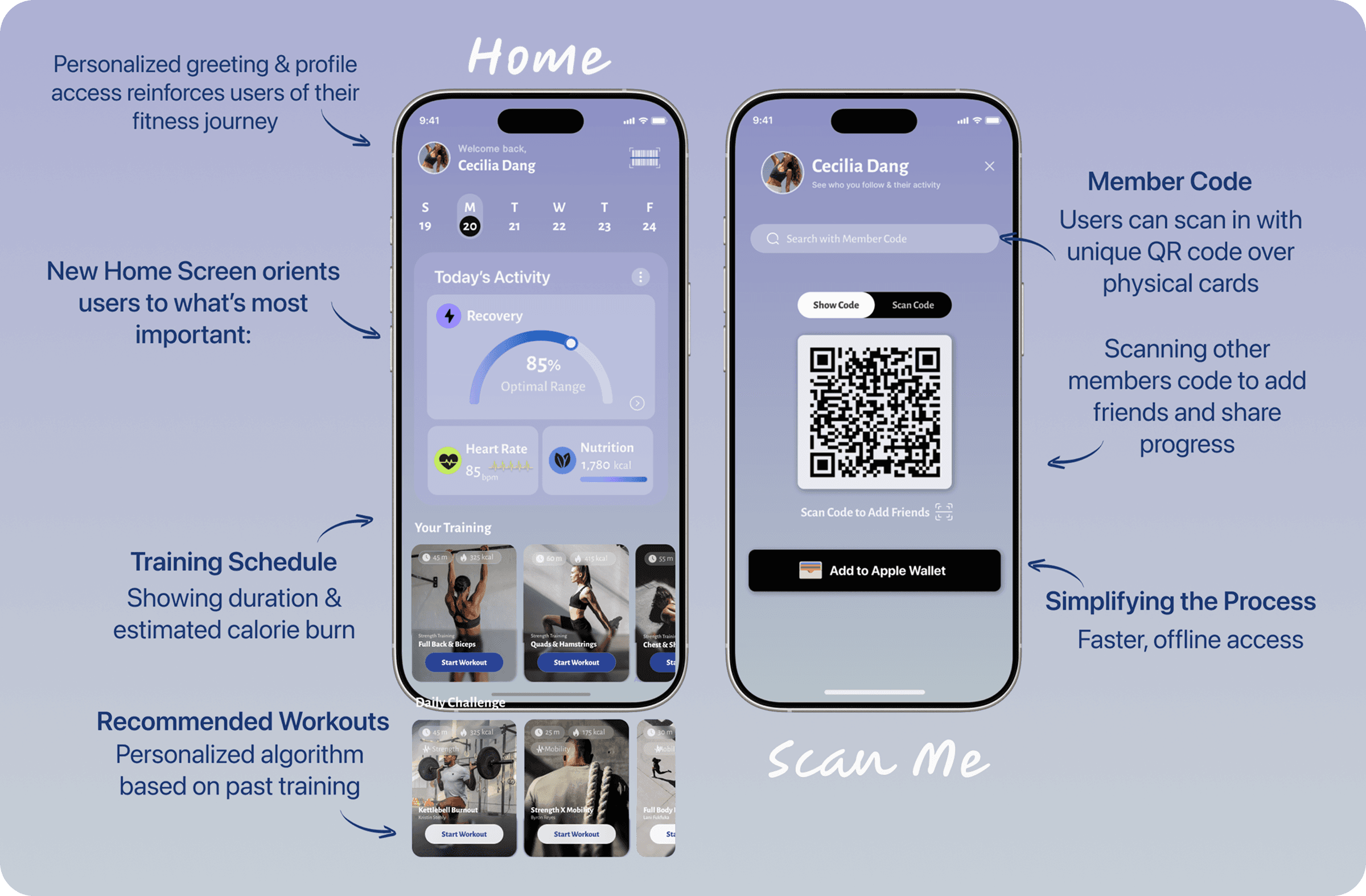
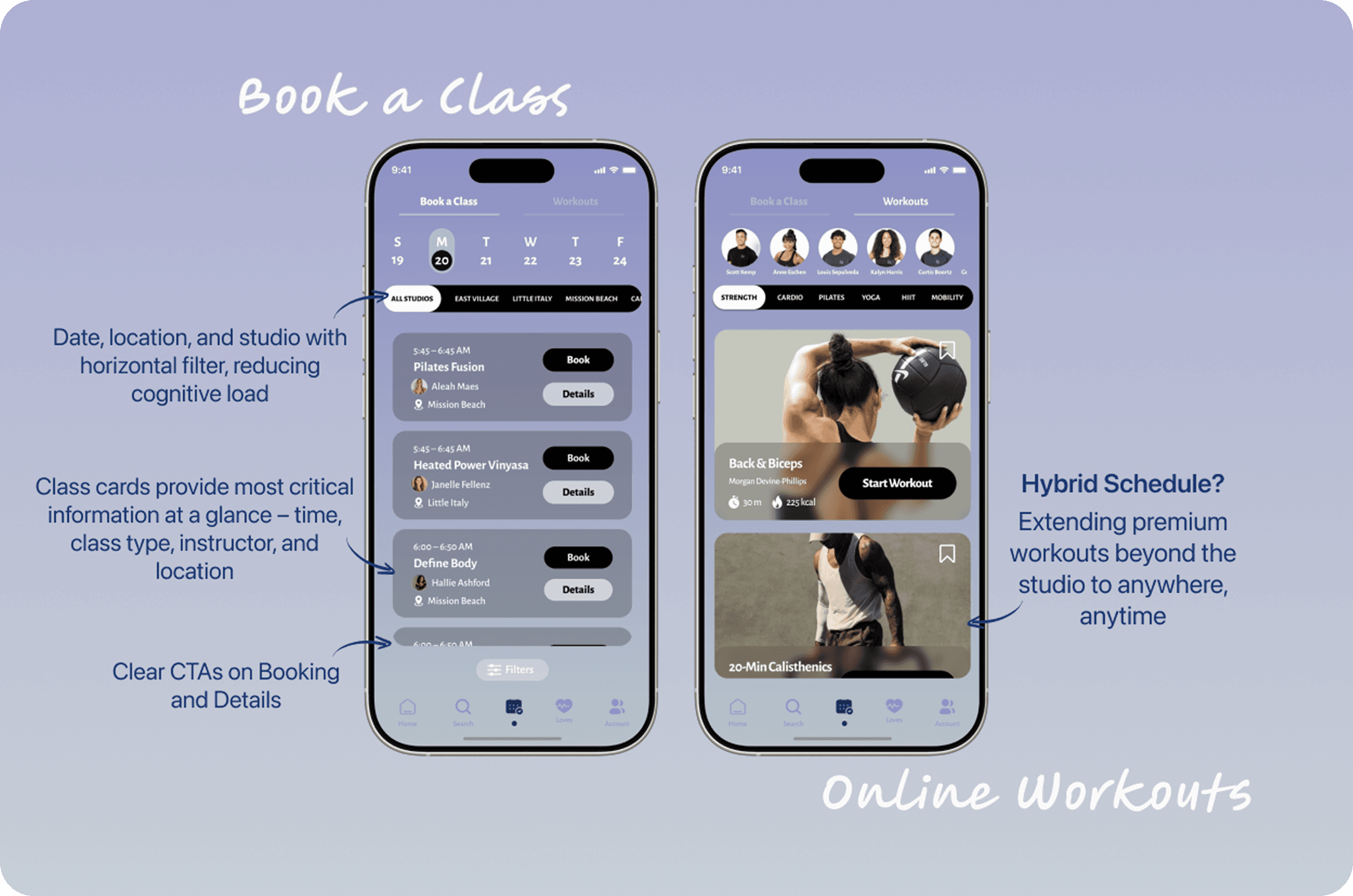
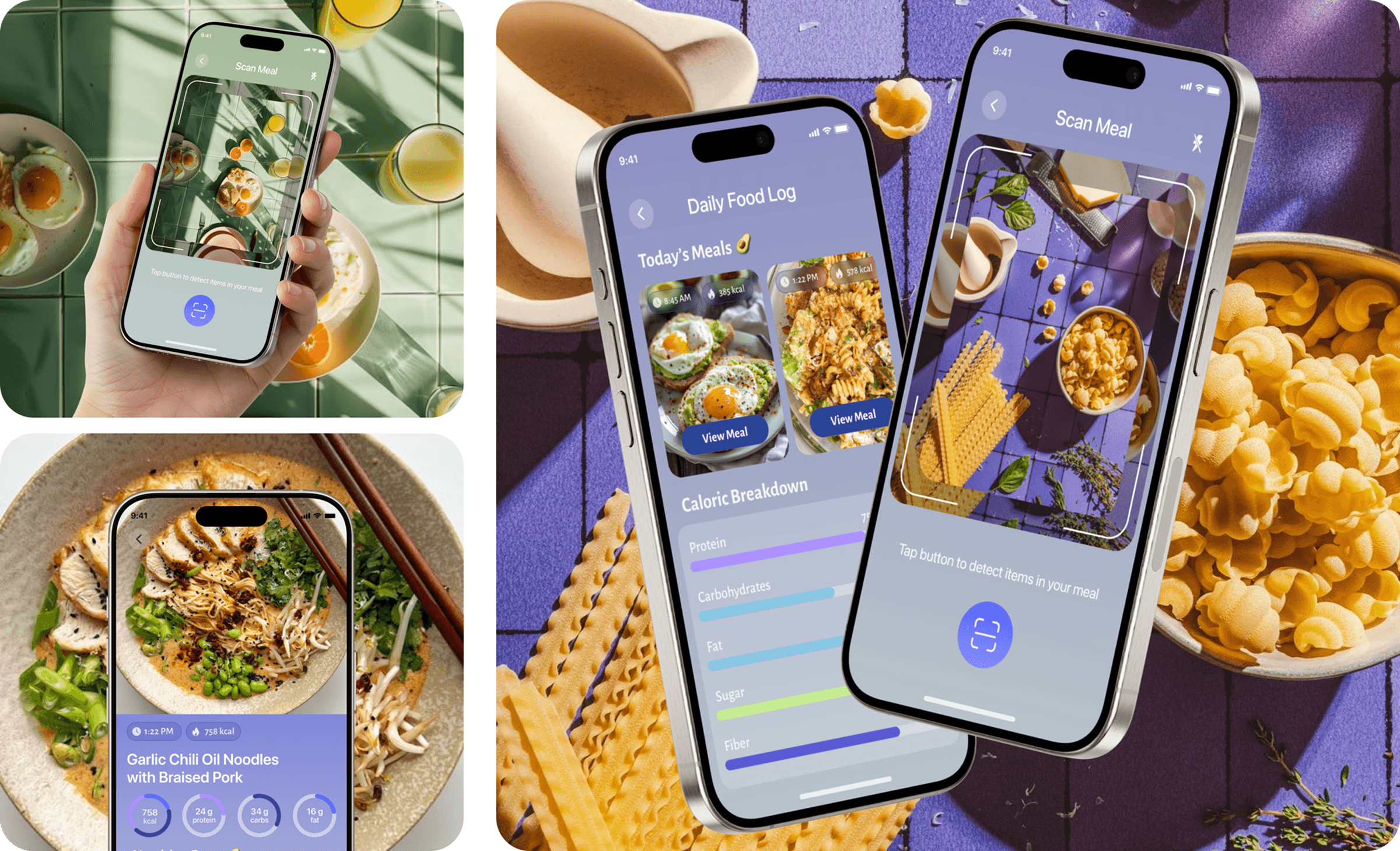
The goal of this project was to design a holistic fitness experience that supports the goal-oriented, high-performing lifestyle of Fit Athletic Club members. The redesigned mobile app brings together in-studio class booking, at-home workouts, health and nutrition tracking, and a community-driven accountability system inspired by platforms like Strava. By unifying these touchpoints into a single, intuitive experience, the app empowers members to stay consistent, connected, and motivated—both inside and outside the gym.
The Final Product
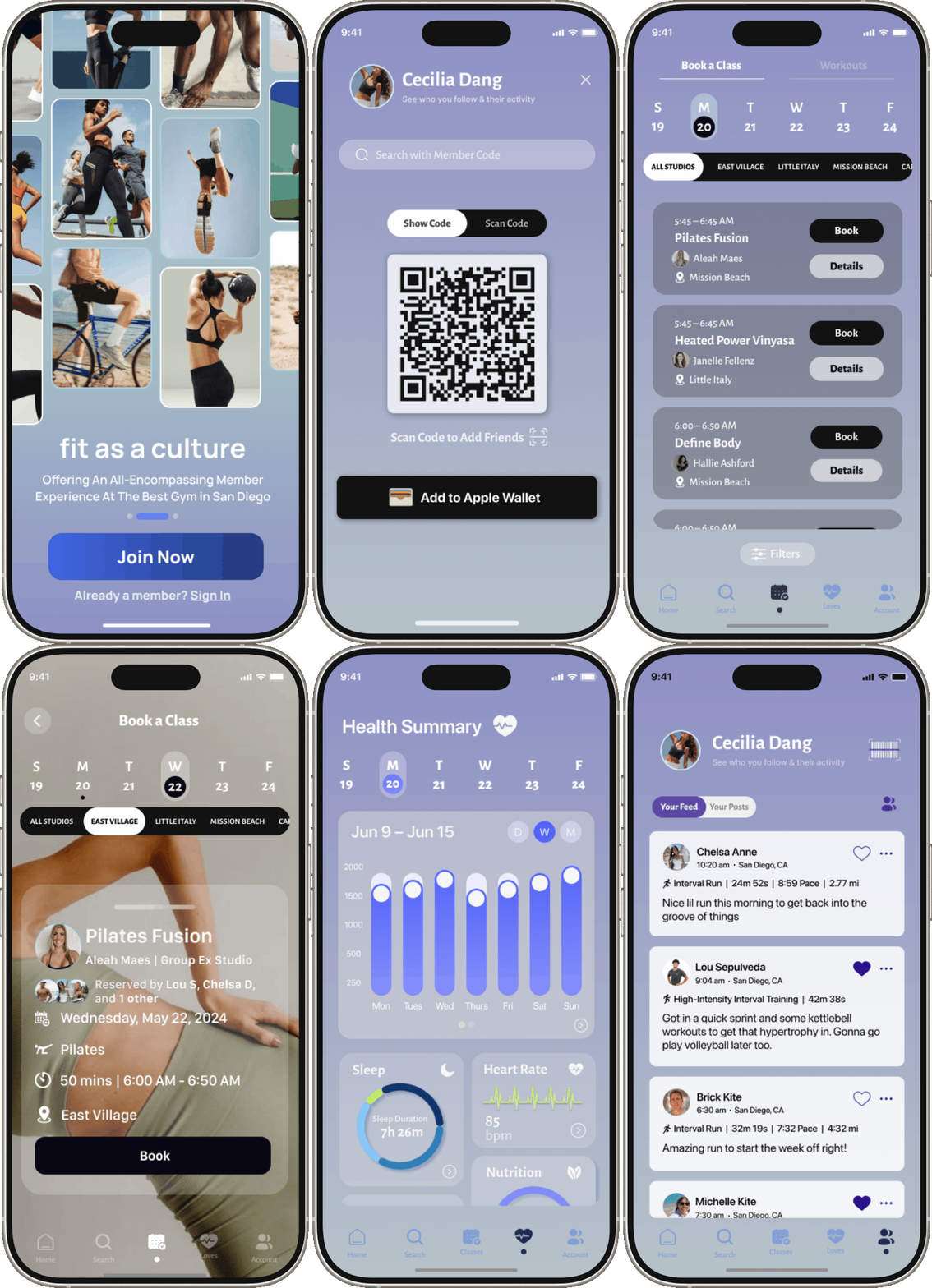
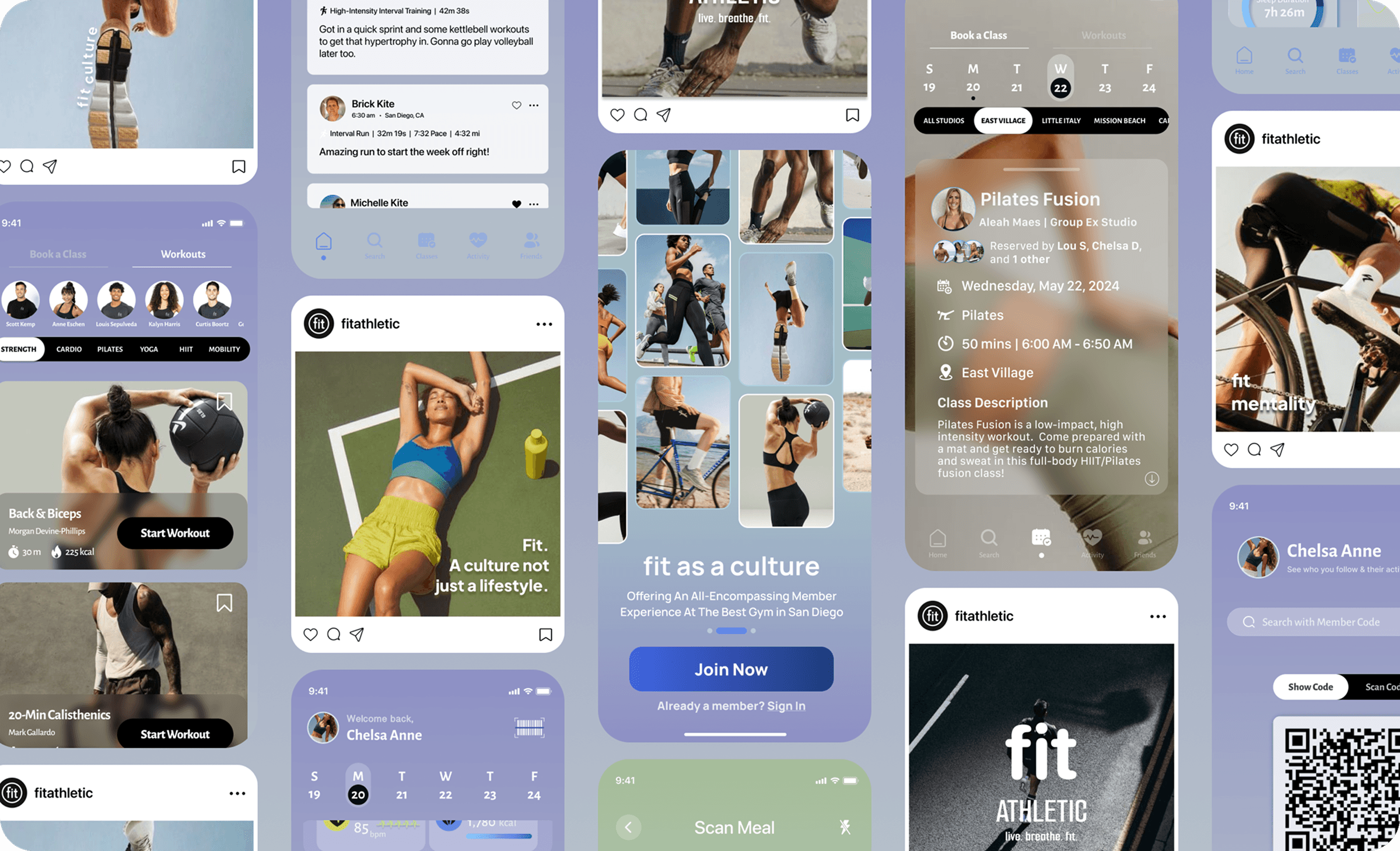
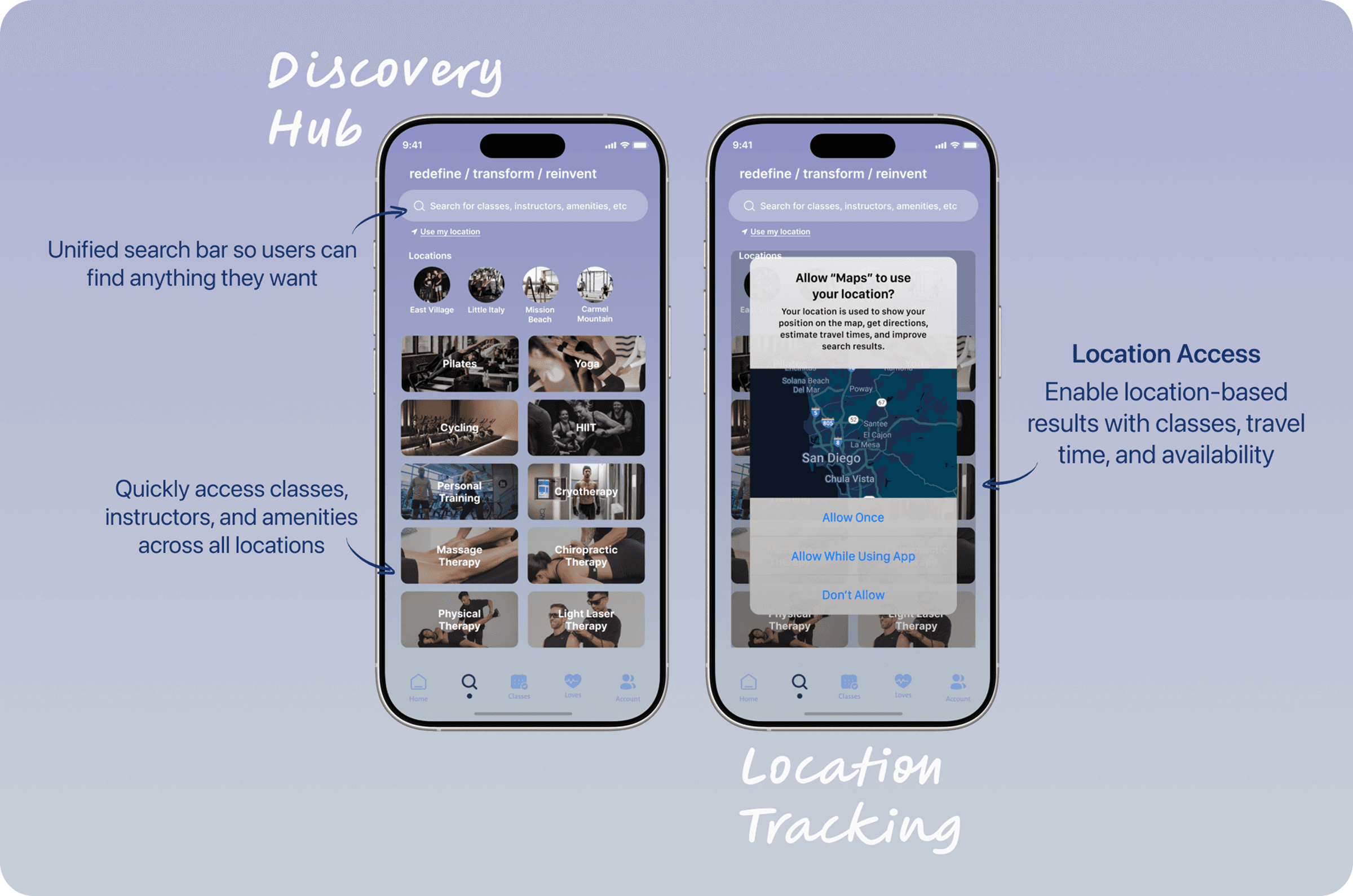
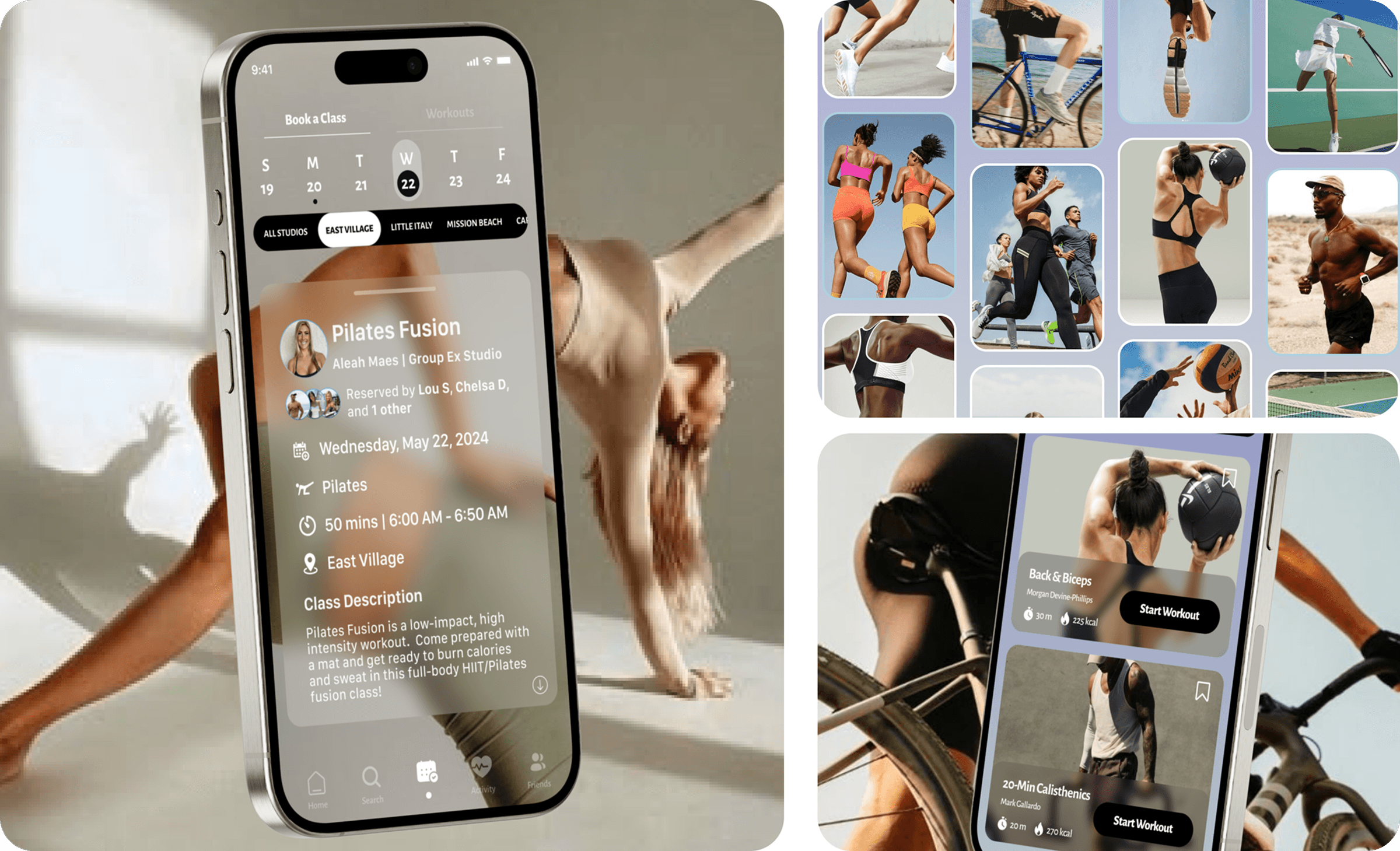
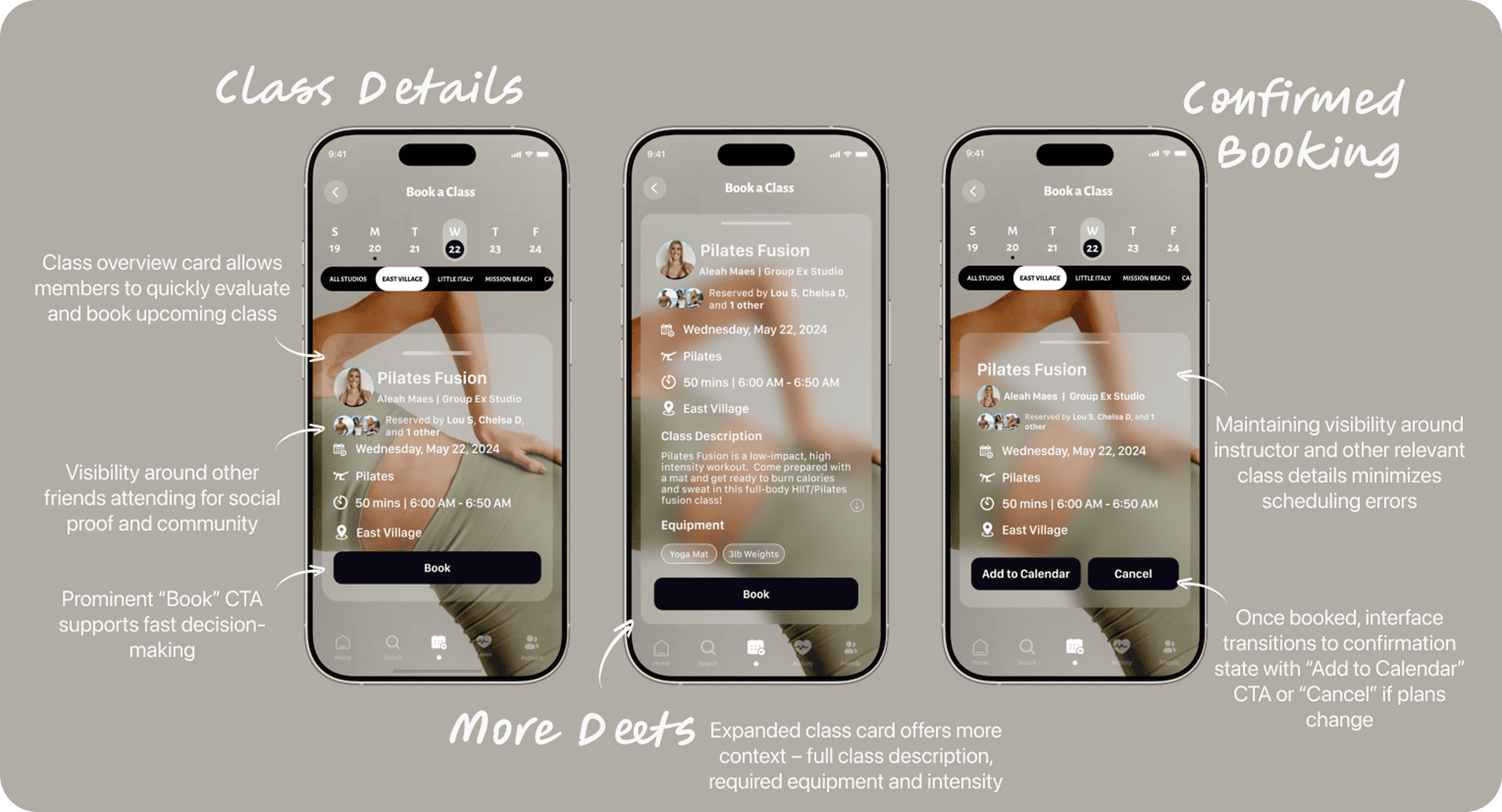
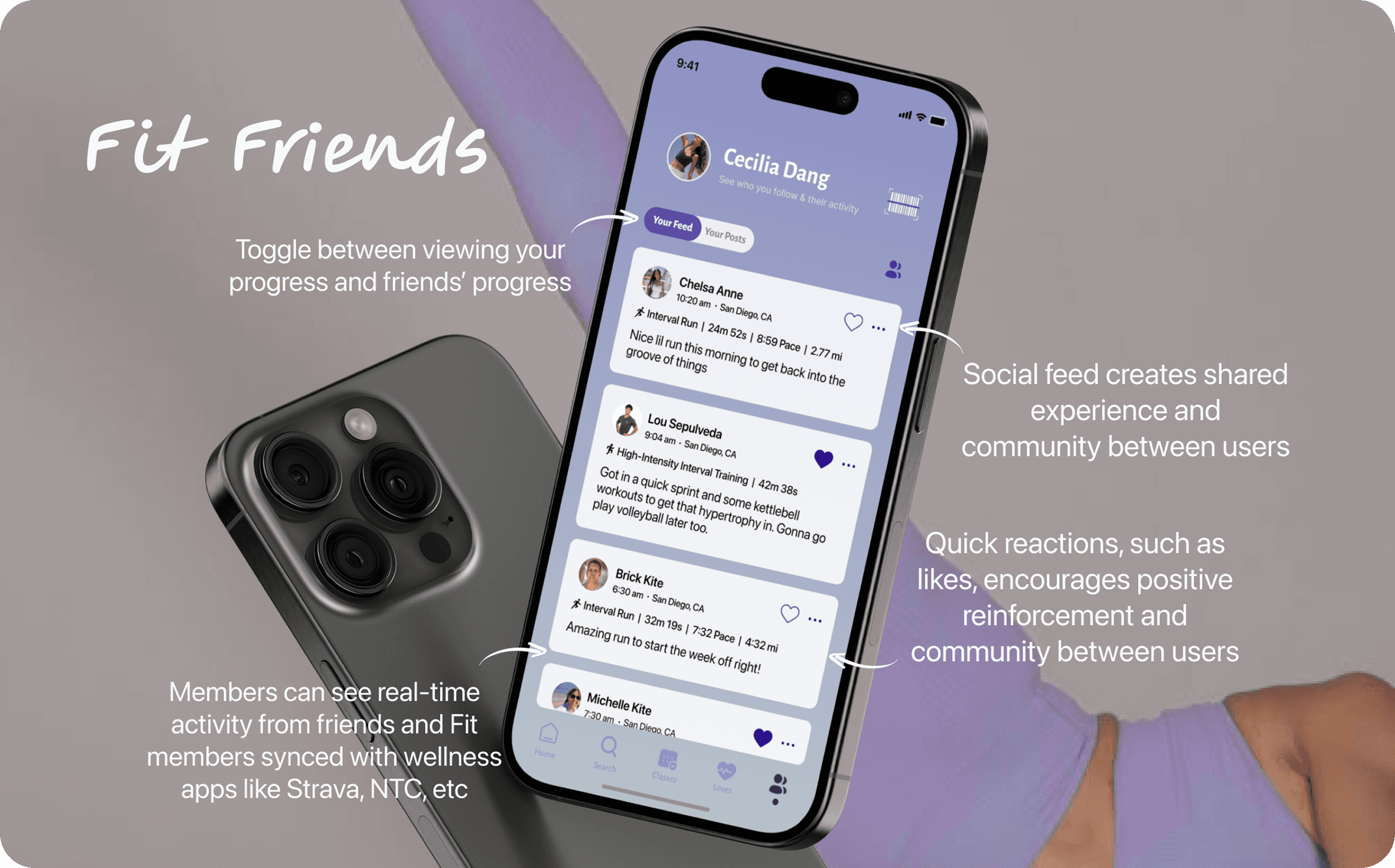
I designed a mobile experience that centralizes fitness planning, performance tracking, and community engagement into one cohesive platform. The solution introduces streamlined class discovery with immersive filters, at-home workout content, integrated health metrics, and a social feed that promotes accountability through shared progress—all designed to reduce friction and increase long-term engagement.
My Role & Responsibilities
As the sole Product Designer and Researcher, I led the project end-to-end, from research and synthesis to interaction design and high-fidelity prototyping. My responsibilities included:
Conducting user research, surveys, and usability testing
Defining user needs, pain points, and success metrics
Creating user flows, task flows, and information architecture
Designing high-fidelity UI and interactive prototypes
Iterating on designs based on user feedback and testing insights
Duration & Tools
While this project began in late 2023, it has remained an evolving body of work – iterated over time to reflect my growth as a product designer. Each revision showcases how my design decisions matured alongside ongoing research, evolving best practices, and the development of scalable component libraries. Throughout the process, I used tools including Figma and FigJam for design and collaboration, hand sketching for early ideation, Notion for documentation, and Maze and Qualtrics for usability testing and insights.
The 36-Hour Sprint
Primitive Sketches & Prototype (A Fun Brain Teaser)
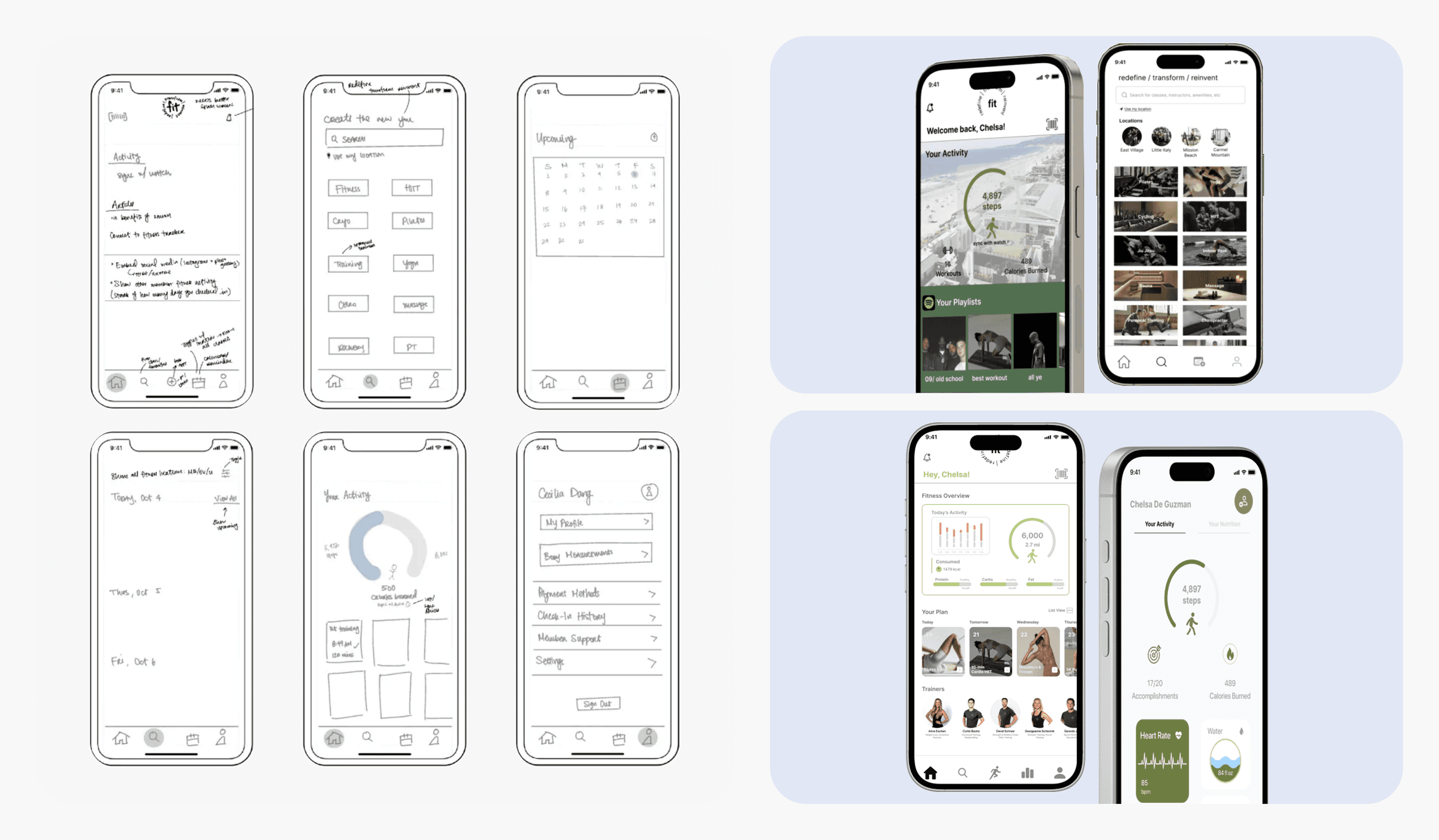
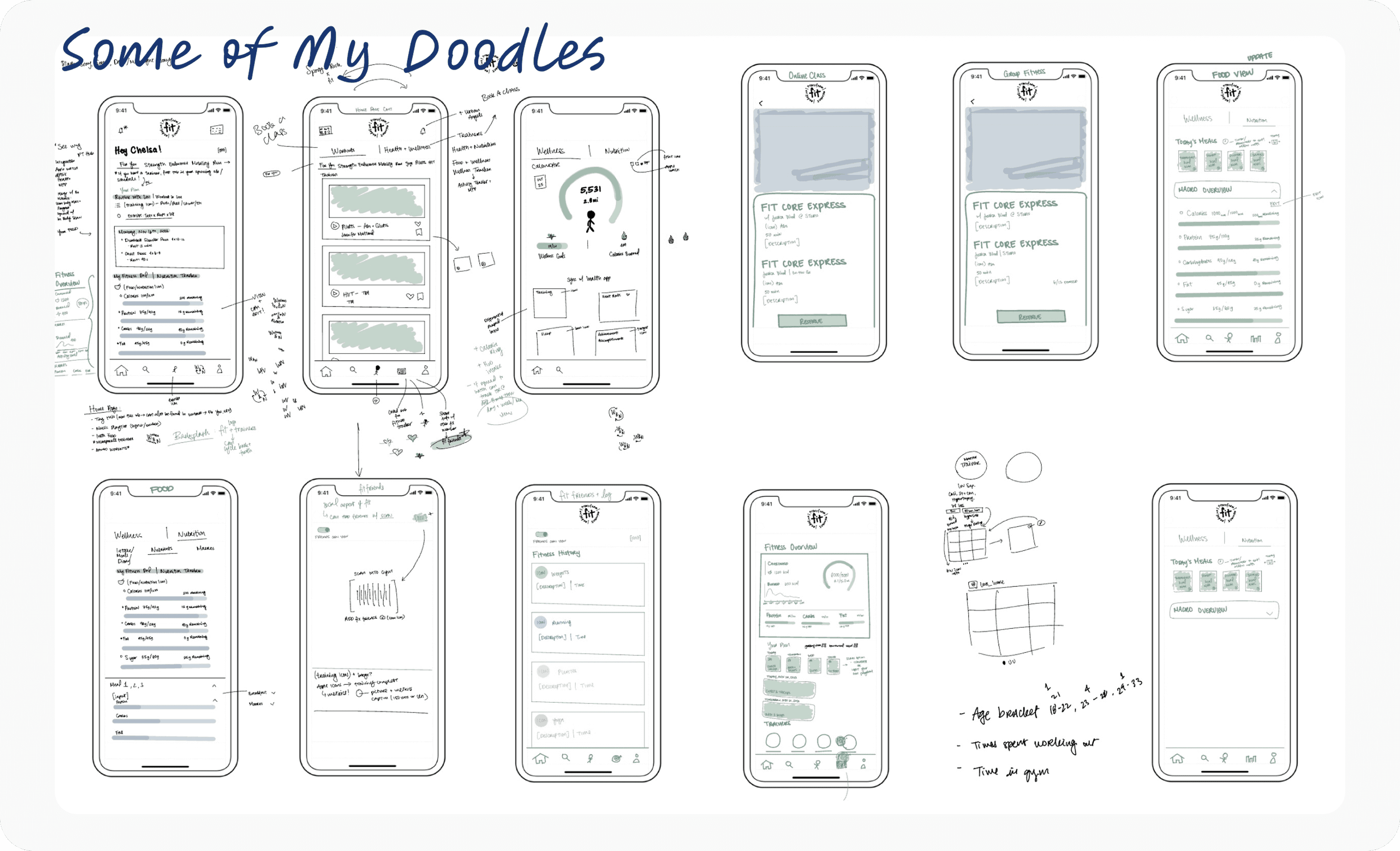
Every project I’ve taken on has been a valuable learning experience, and my design process for Fit Athletic Club was no exception. As a challenge, I designed this app from paper sketches to prototype within 36 hours. I approached it as a sprint—diving in with a healthy dose of ignorance and avoiding analysis paralysis. There would be time to review, refine, and improve later, but in that moment, I just needed to get the ball rolling.
I knew from the outset I wanted to design a more personalized home page that would feel more engaging when users clocked into their fitness routine. However, I still only wanted relevant information displayed, such as fitness metrics, a streak to show how many days users have been going to Fit – all things that would build upon the user’s fitness momentum in addition to some social component. As you can see, things were coming together, but it wasn’t quite there yet.

The Design Process
From Inception to Execution

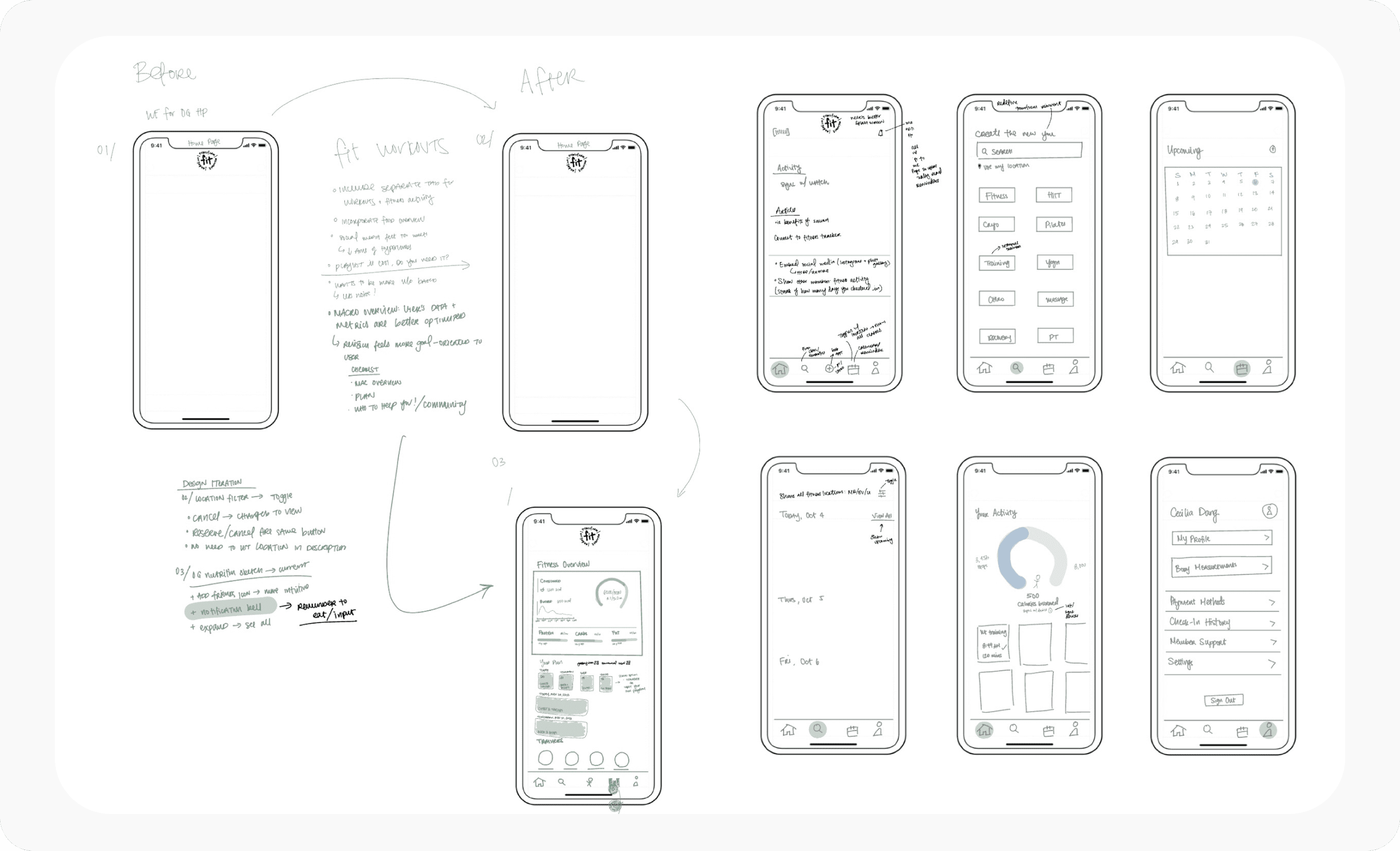
As I explored grayscale colors, it felt (for lack of better words), too black and white. And that wasn’t Fit, but it did give me the idea to incorporate more neutral colors like blue (trust) and purple (power, transformation), gold (success and strength), green (recovery and growth) – how could I mesh all these colors together to evoke garden-variety emotions. Then, I started playing around with sunrise and sunset themes that would change as the day wore on, effectively communicating that from the sunrise to the sunset, Fit members got after it. With each advanced version (inputting macros to scanning live photos of food), I wanted to ensure that the color palettes I selected were versatile enough to adapt to each change, but also timeless enough to not draw attention away from the objective. It was a balancing act that forced me to dive into color theory and emerge only to continue refining the process. I skipped the sketches and wireframes once my prototypes were functional enough and I focused on changing the color schemes and major elements directly on the prototypes.
Phase 1 – Discovery
Methodologies & Research Goals
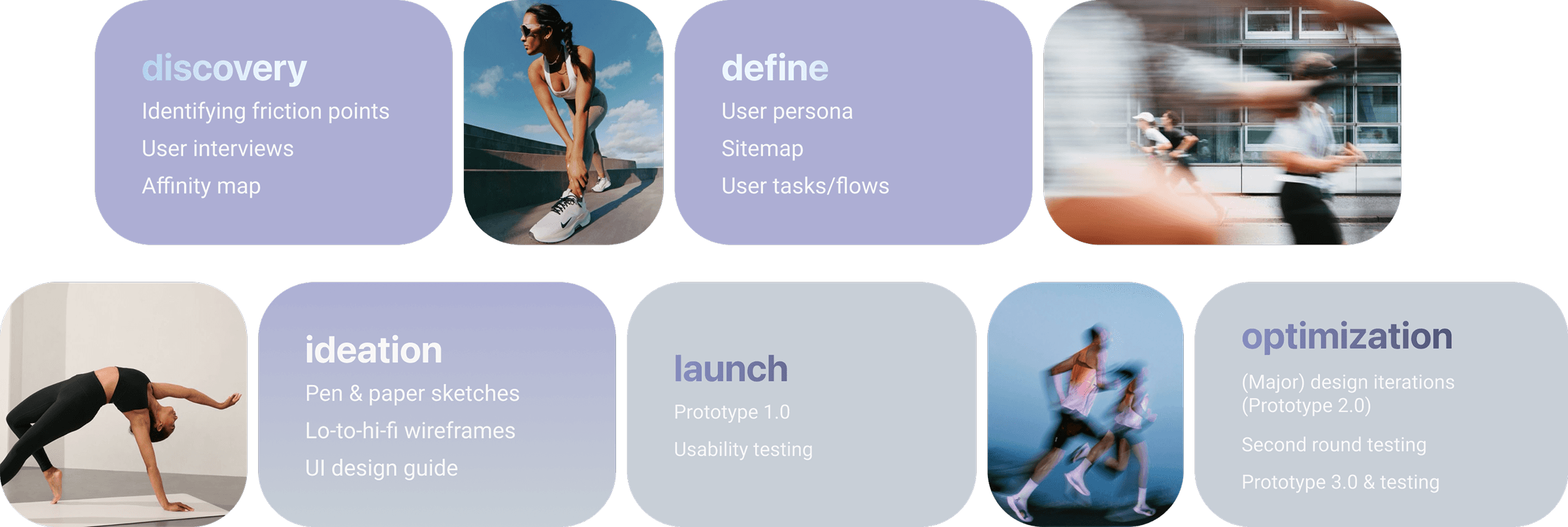
Just with a preliminary search, the App Store is flooded with a plethora of fitness and wellness apps, but only a select few – such as Nike Training Club and Peloton – consistently stand out to users, but why? To understand the differentiating factors, I started at the root: Fit's very own mobile app. Through a product audit, I identified usability gaps and underutilized features, then benchmarked those insights against the best-in-class fitness apps. The research goal was simple: prioritize the most desired features, refine existing features, and remove what doesn't serve the users – all the while maintaining a lean, end-to-end design process optimized for speed, clarity, and continuous user feedback.
Identifying the Problem


User Interviews 🗒️
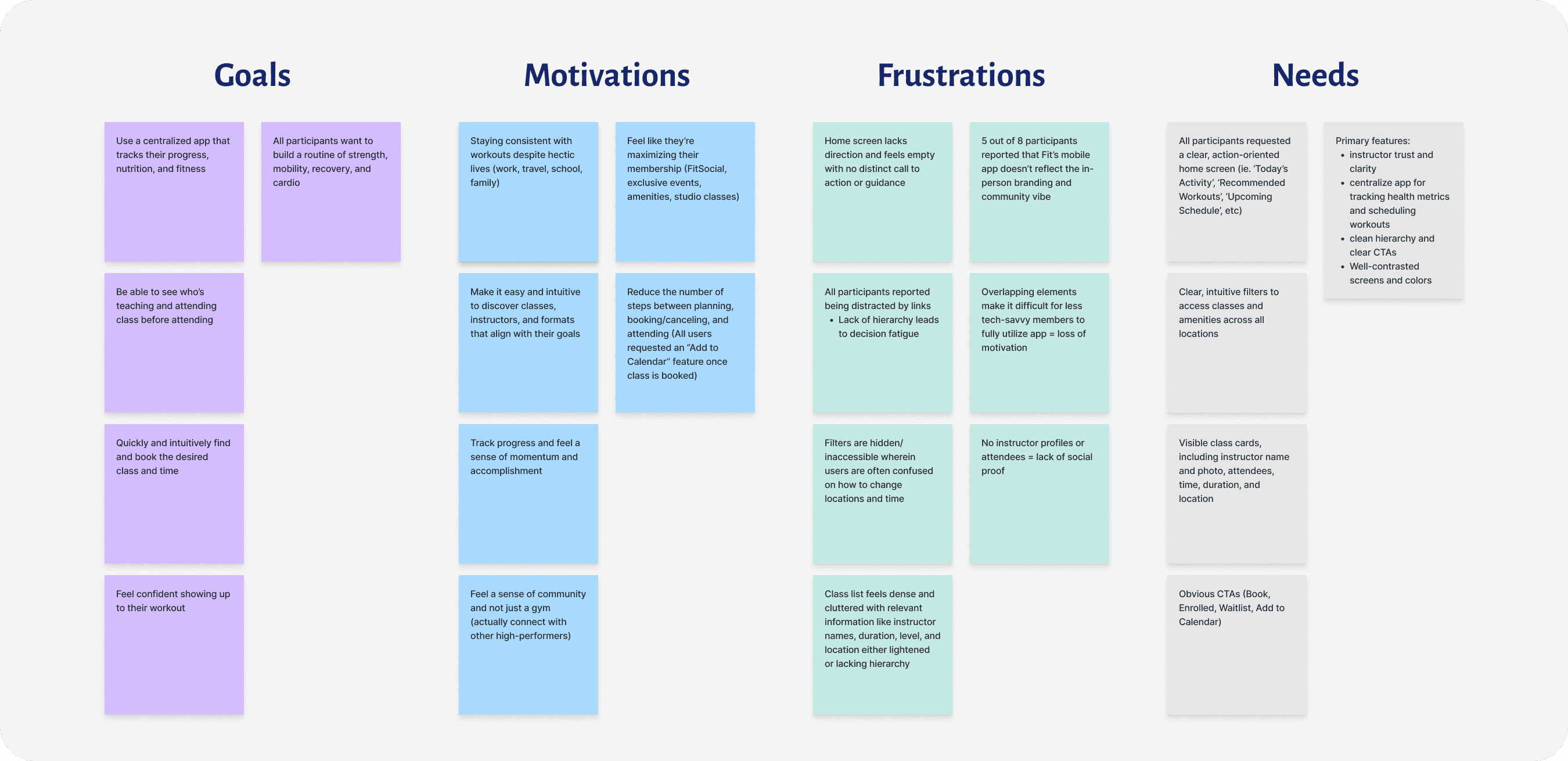
I conducted user interviews with 8 participants who attend Fit Athletic for an average of 3-5 times per week, have used similar training or fitness apps (NikeTrainingClub, Strava, MyFitnessPal, Peloton, ClassPass, Oura, Trainerize), and have explored all the features of Fit's current app. Through the interviews, I was able to discern each participant's motivations and pain points while using Fit's current mobile app versus other fitness apps as well as future desired features that would enhance their fitness journey.
& Respective Findings
Affinity Diagram

I wanted to further explore the commonalities between each user and what they prioritized in tandem (as a supplement) to their fitness. Amongst my interviews, there were three threads that popped out: people liked sharing their fitness journey and having a community behind them which also fell into a similar vein with attending in-person classes, and momentum was important – your goals are all the more tangible when you begin to track your progress and create a streak. After examining these parallels, I looked at several other fitness apps which would serve as a backdrop to how I would re-design Fit with all the additional benefits, minus the pitfalls.

Phase 2 – Define
Understanding & Implementing User Insights
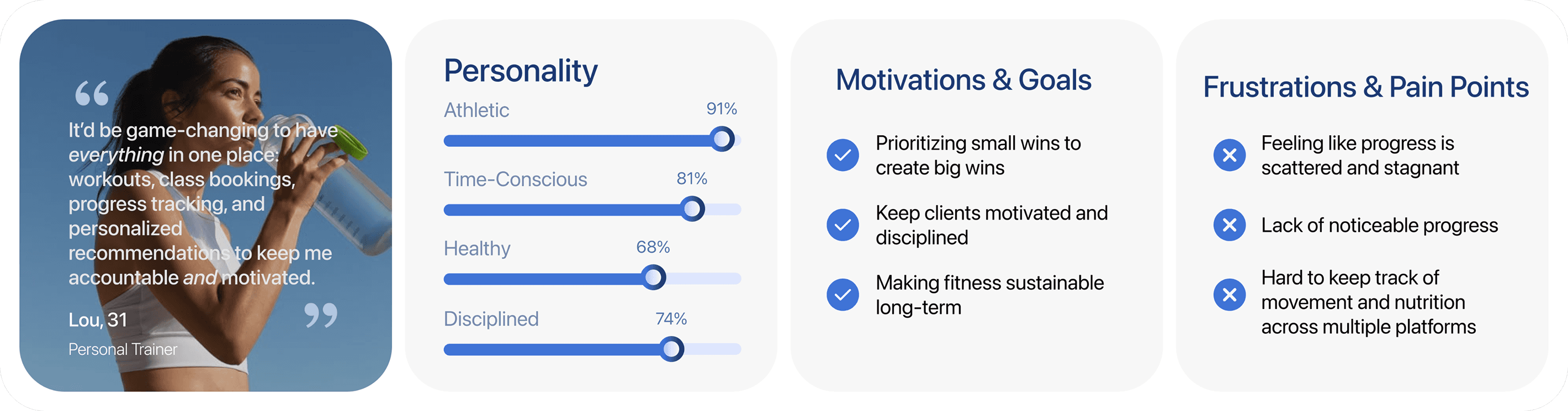
One of the most important aspects of research is understanding and personalizing user needs to enhance and streamline their fitness routines. By identifying user behavior and pain points, I could avoid common pitfalls and design a beautiful, intuitive, and immersive experience – one that motivates users to focus their energy on consistently and confidently pursuing their fitness journey.

User Flow & Thought Process
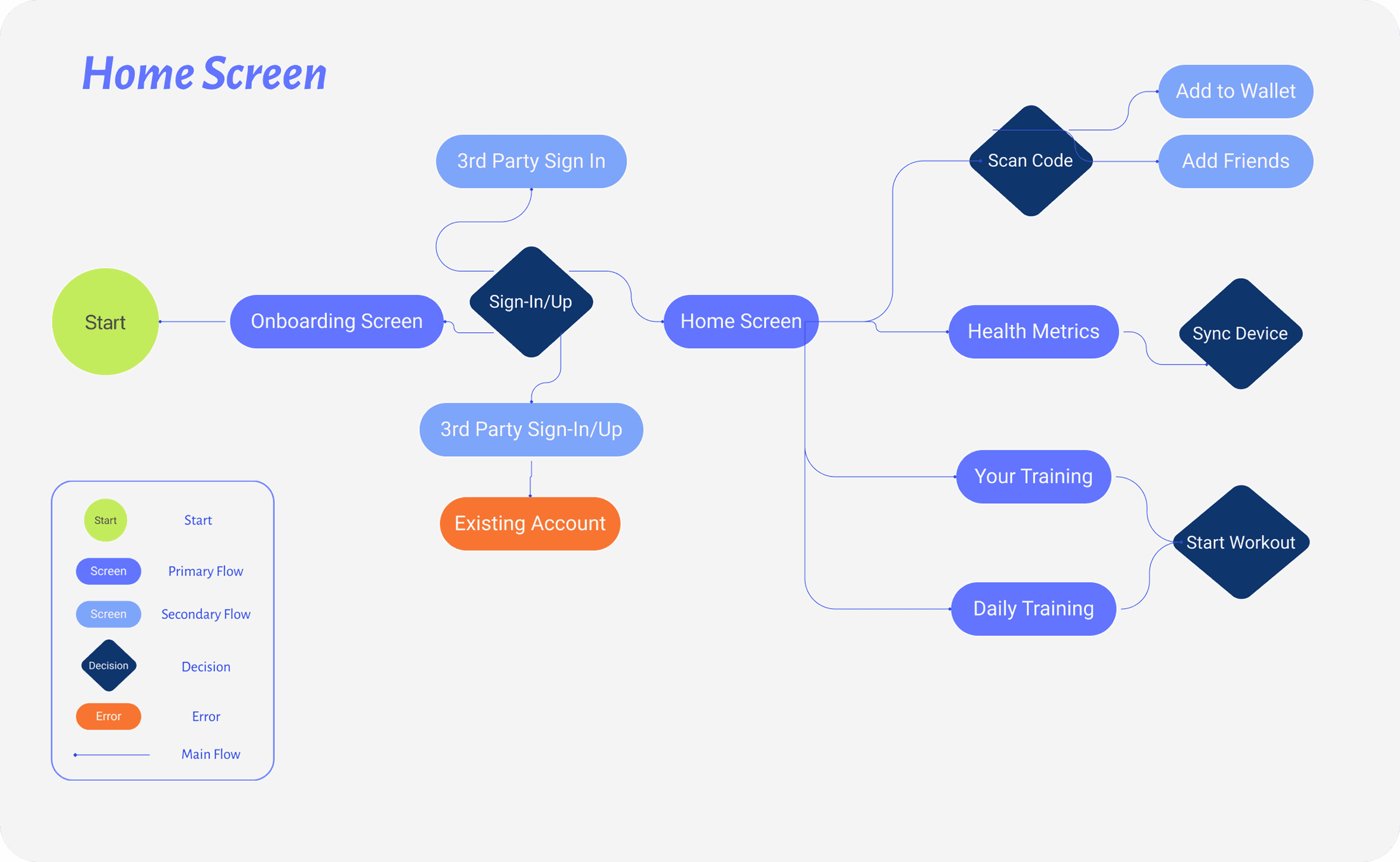
Task & User Flow
I designed a preliminary user flow to outline how users would complete key tasks, serving as a blueprint for the broader information architecture.
Sitemap
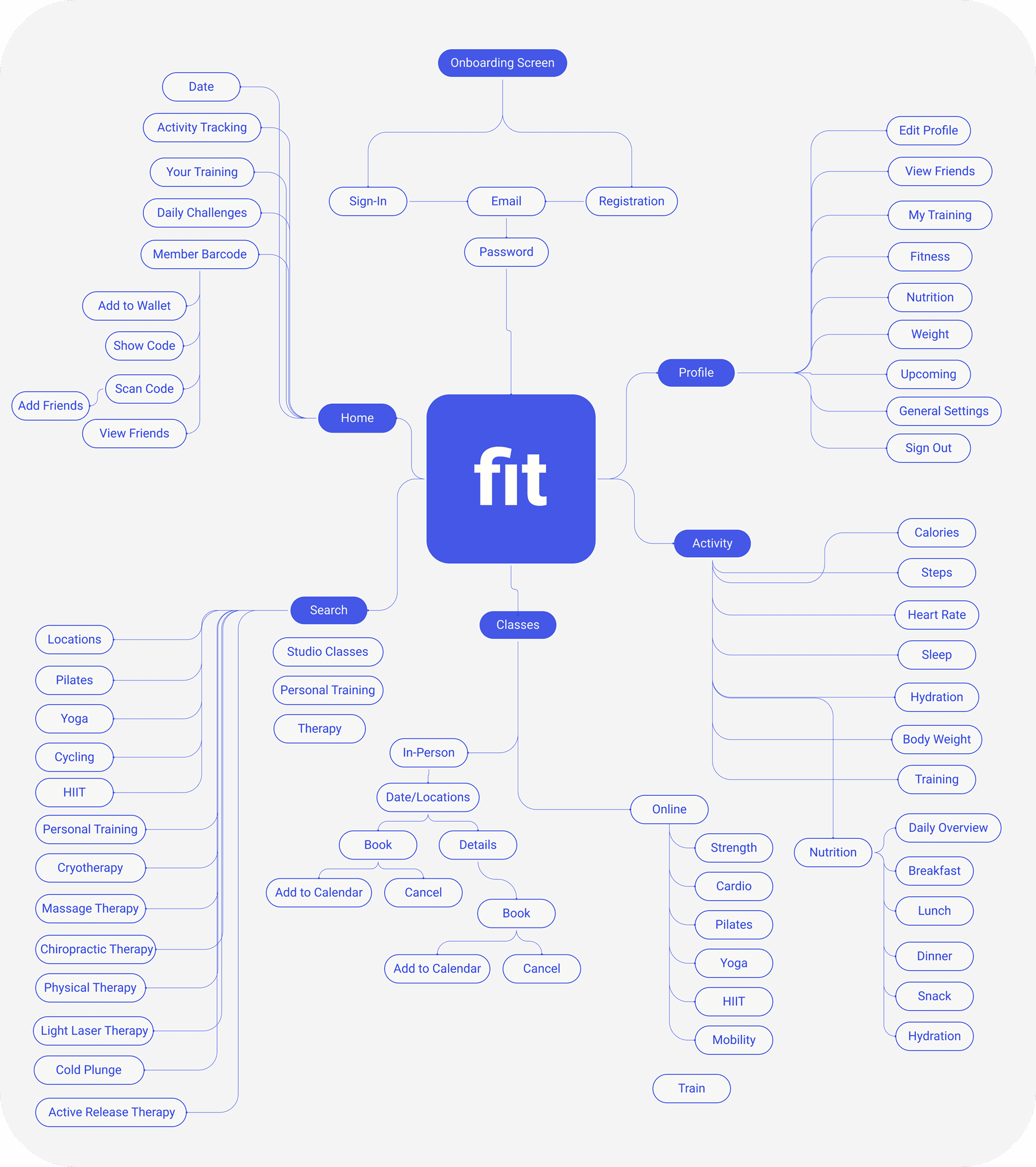
Laying the Blueprint

Phase 3 – Ideate
Pen & Paper Sketches
Pen to paper sketches were the best way for me to ground my designs and then use as a springboard once I was able to convert them into wireframes and prototypes. From there, I iterated directly on the prototypes.
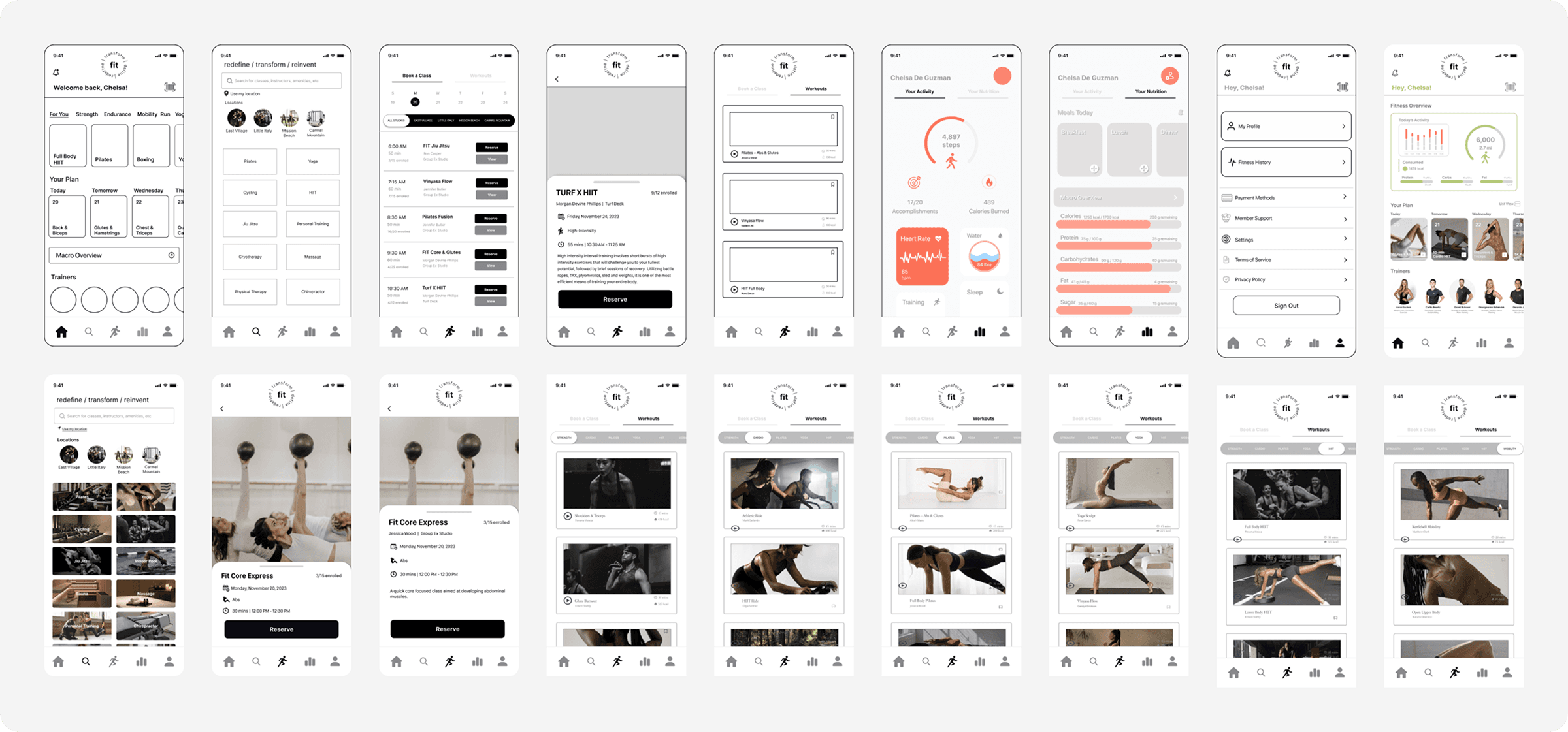
Low-to-Mid Wireframes & Mockups
Hi-Fi Mockups
Typography & Color Palette
Forging a New Identity
After getting a peek inside the user’s motivations and pain points, I set out to iterate a comprehensive, all-encompassing app that would deliver on all the user’s needs and expectations (based on highest to lowest priority. With each iteration, I acquired a modest testing pool that would give me (immediate) feedback to continue iterating and pivoting to the final version. Below are the initial, second, and third iterations that pushed me to arrive at the final phases.
I set up a priority system of the most desired and impactful features users wanted to implement to the ancillary add-ons. Based on this classification, I was able to deliver various beta prototypes and rapidly pivot with each user testing (without burning out). I made peace with the fact that certain features had to be axed while others needed to be polished.
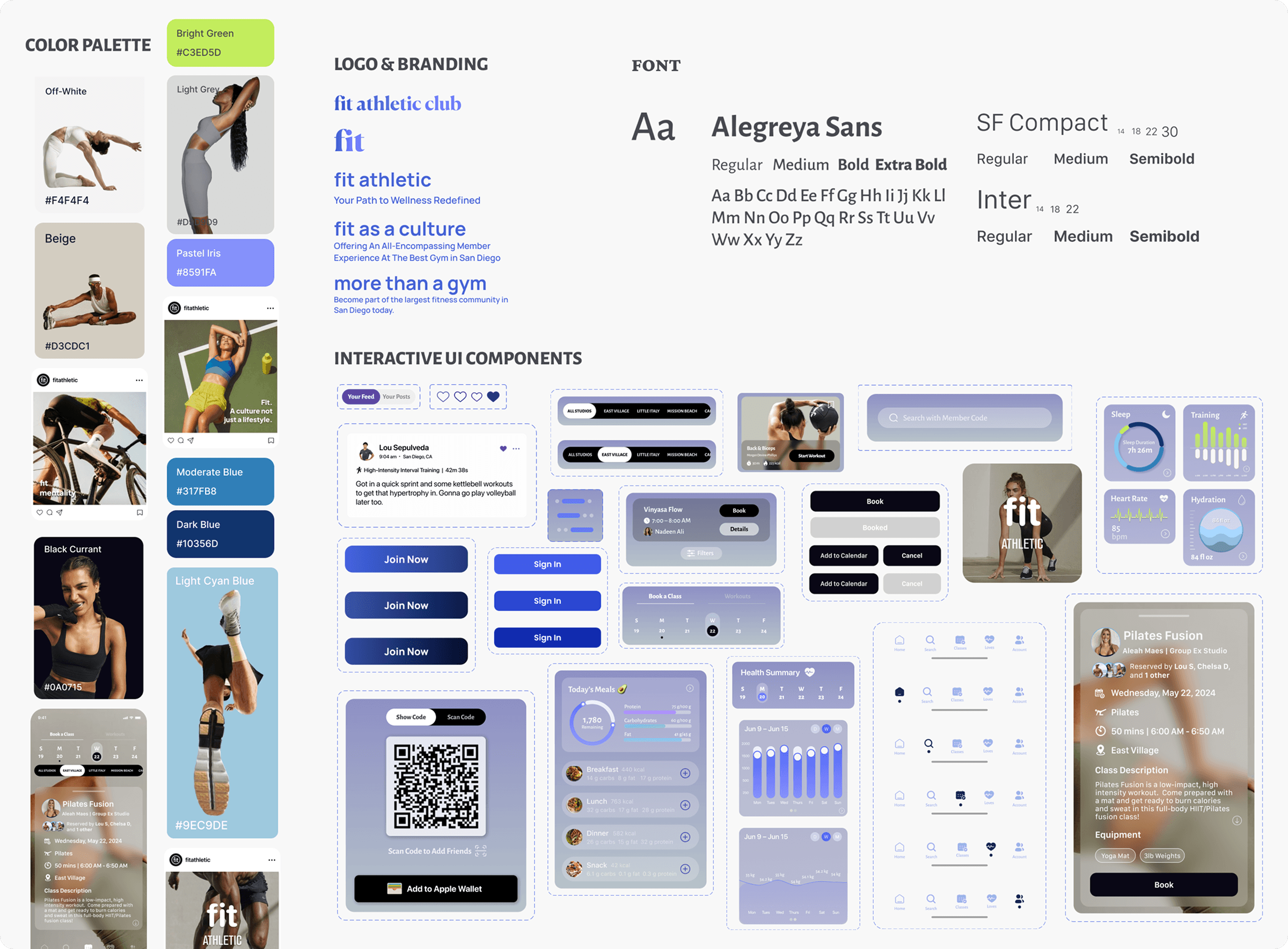
As for the ever-evolving color palette, core colors I used were black with its bold minimalism to ground the design; blue conveys trust and professionalism; and purple pushes the envelope with innovation.
With typography, Inter provides crisp legibility and versatility by ensuring clarity at any size, while its neutral and functional design makes it suitable across interfaces. Alegreya Sans brings a humanist touch, adding warmth and personality to the design, creating a dynamic contrast with Inter. SF Compact is optimized for limited text without compromising readability.

Phase 4 – Launch & Testing
Alas The Interactive Prototypes
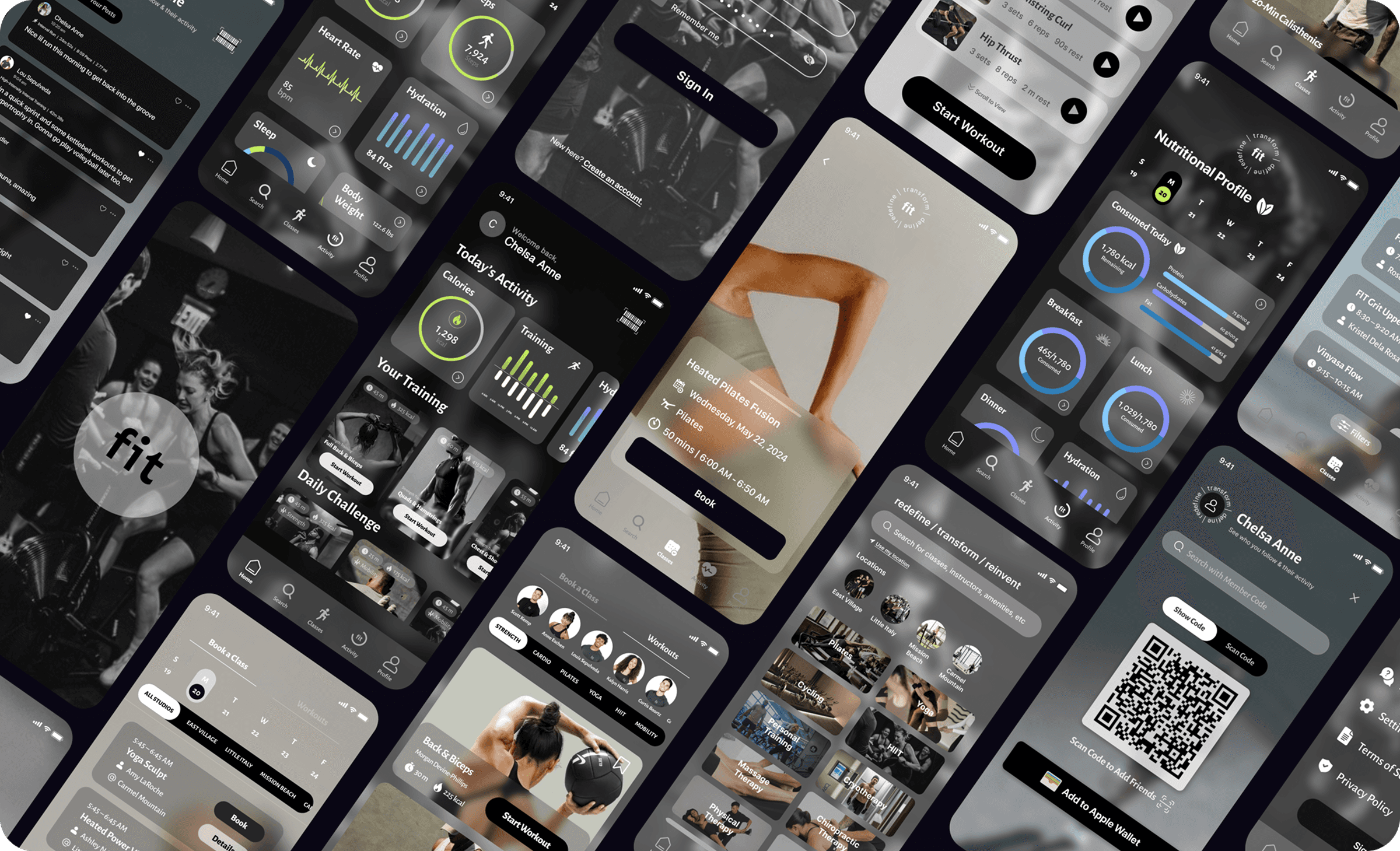
Hi-Fidelity Prototype 1.0: Monochrome Foundation
The first iteration of the Fit Athletic app explored a restrained black, white, and grayscale palette. This direction intentionally aligned with Fit’s existing social media presence, minimal and performance-driven, while allowing me to focus on information hierarchy, layout, and interaction patterns without being overwhelmed by visual noise.
However, early feedback and accessibility considerations revealed key limitations. The stark contrast proved fatiguing for users with sensitive eyesight, and the heavy reliance on white and frosted backgrounds felt visually cold and overly sterile. While cohesive, the palette failed to capture the energy, warmth, and motivation that is the very essence of the Fit Athletic experience.

Usability Testing Overview
I conducted a usability testing with 8 Fit Athletic members with a focus on readability, navigation clarity, visual comfort, and task completion. The tasks included checking today's activity, booking a class, signing in via member code, adding friends, and reviewing health metrics.
Key Findings
75% of participants reported the interface felt "tiring on the eyes" after extended use
62% of particpants failed to distinguish between primary and secondary CTAs due to low visual contrast
71% of participants missed at least one primary CTA on their first try
50% of particpants struggled to select any action when scanning data-heavy screens (health metrics, nutrition, and friends' posts)
50% of participants opened the wrong task before course-correcting (78% without guidance)
Only 38% of participants described the design as intuitive and energizing
Phase 5 – Optimization
Prototype 2.0 & Pause


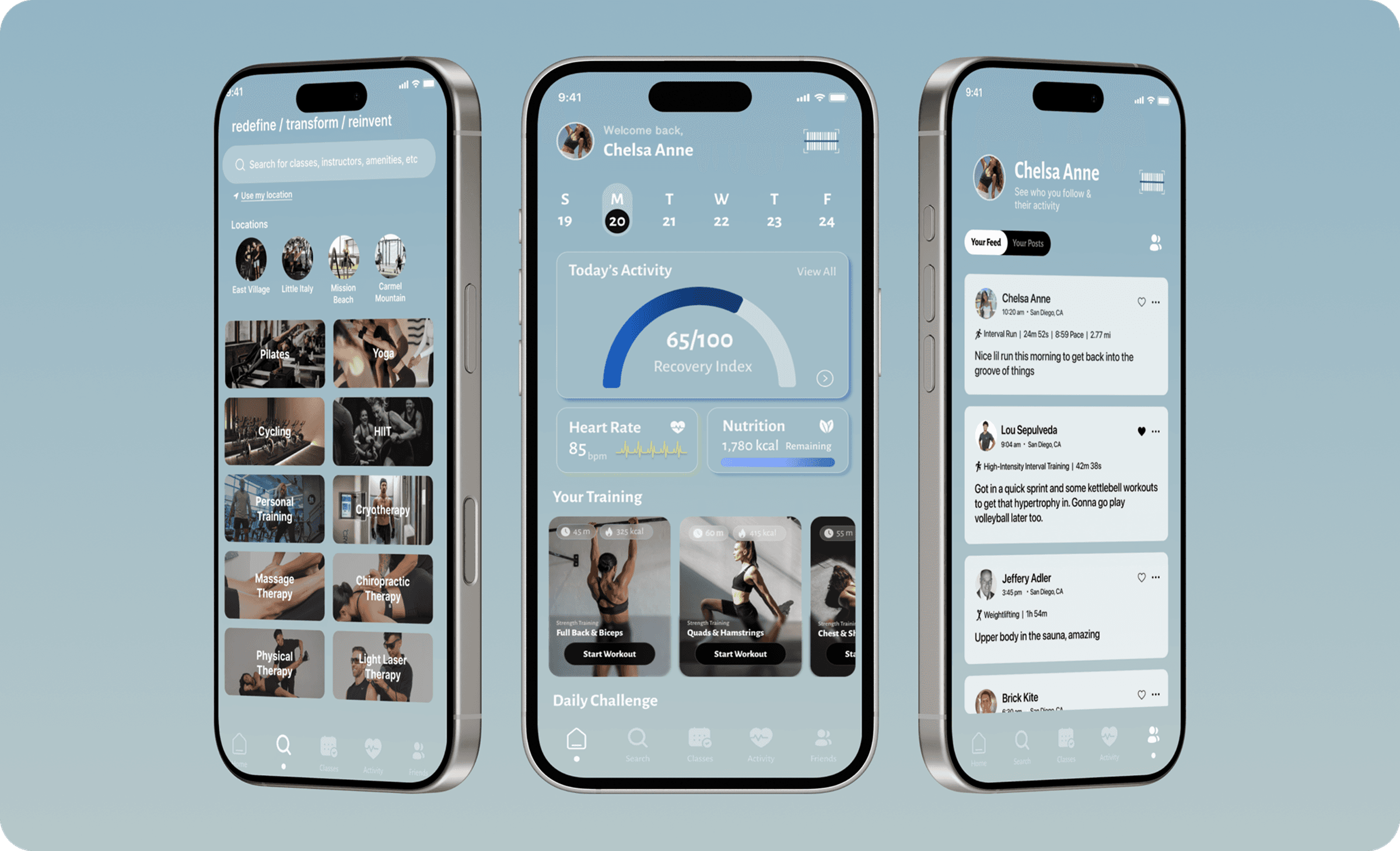
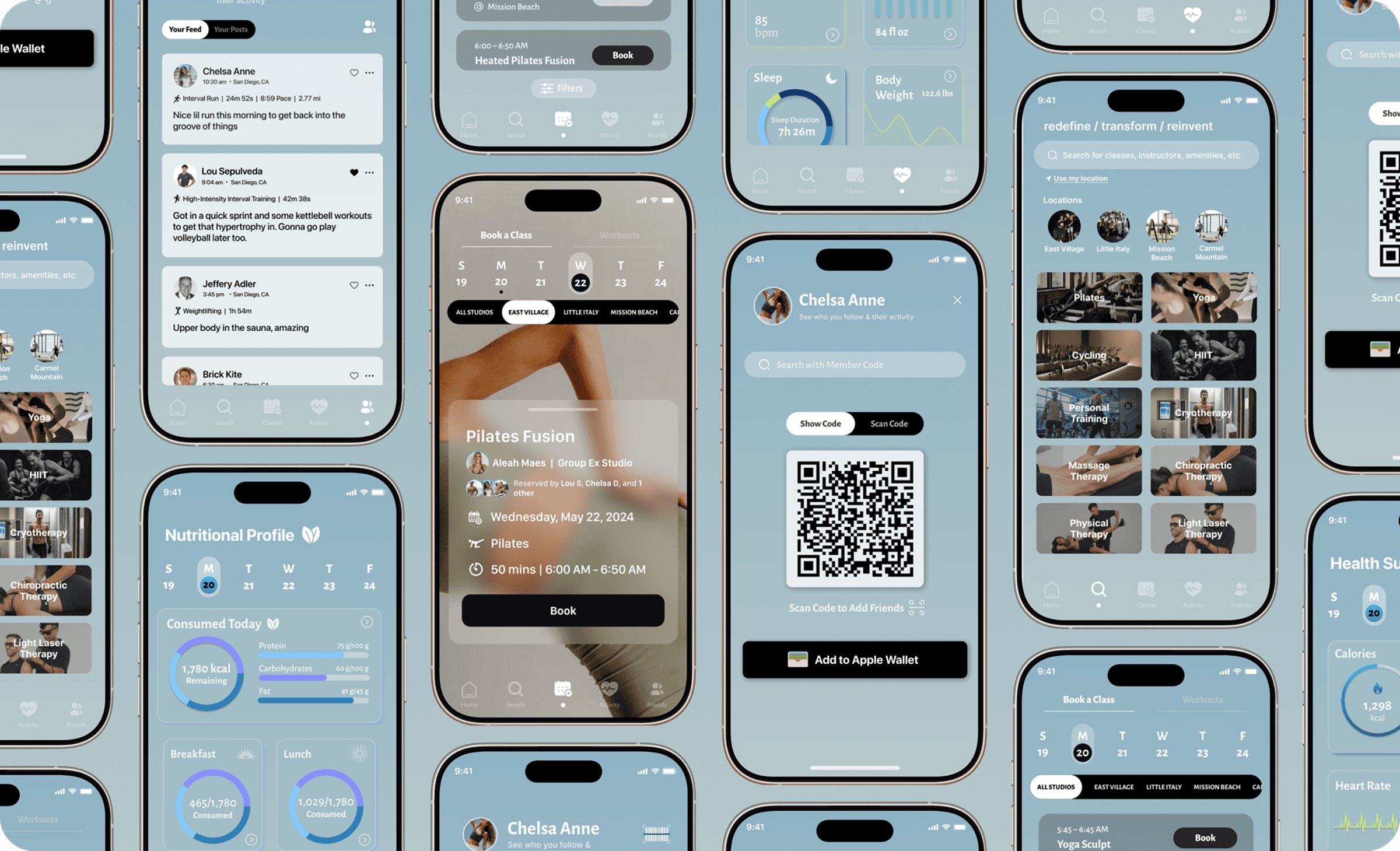
In the next phase, I introduced a blue-based color system to improve legibility, reduce eye strain, and create a calmer visual rhythm across data-heavy screens such as health metrics, schedules, and nutrition tracking. Blue naturally reinforced feelings of trust and stability, qualities essential for a goal-oriented fitness product.
While the shift mproved usability and accessibility, especially for prolonged app usage, the experience still leaned too clinical. The interface supported performance, but now lacked personality. Nonetheless, it was good enough for now.
And this is where my journey took a pause and Fit was shelved for some time, but in the back of my mind, it was always there. And so when I got the opportunity to work on it again and present my work, I completely changed the baby blue backdrop. The design needed something darker, more ambient, but with undertones of strength and resilience through the subtle purple tones.
Phase 6 – The Revisit
The Dawn/Dusk Iteration
Nearing the Finish Line
Ultimately, I wanted to capture the feeling of those early morning workouts – when the light is just beginning to break and you’re already in motion. That quiet, powerful moment of rising before the world does, and the determination to keep going long after the sun goes down. I aimed to reflect that energy in the palette: calm yet bold, grounded yet full of momentum.
Click to try app prototype! 📱
User Testing & Key Insights
To evaluate whether the redesigned purple iteration resolved the usability and accessibility issues identified in earlier iterations, I conducted a final round of usability testing with the same 8 participants from previous studies. Using task-based scenarios and post-test surveys, I measured task success, clarity, visual comfort, and overall confidence across core flows. Insights from this round directly validated design decisions and informed final refinements outlined below:
Task success rate improved from 71% to 94%
Time to complete primary tasks decreased by 32% (averaging 3.9 seconds)
87% of participants preferred the final iteration over previous prototypes
100% of the participants described the layout as "calm" and "less intimidating than the black version"
Average time to locate class locations decreased by 32 seconds to 17 seconds
87% of participants booked the intended class on the first try
75% increase in interaction in Fit Friends (liking or commenting on posts)
Reflections
Key Takeaways
From an initial 36-hour design sprint to three iterative refinements, returning to the drawing board was both bracing and freeing. Each round of usability testing re-centered the work on Fit members’ needs, shaping a solution that felt increasingly intuitive, cohesive, and aligned. The process was a testament to the non-linear process behind UX/UI – while every project has a beginning, middle, and end, the real progress lies in the revisits and course corrections. You can visit and re-visit the same process because design is free-flowing where the rules are handrails and not shackles, allowing space for exploration in pursuit of better outcomes. Ultimately, this project reinforced my belief that the best product design doesn't just help users accomplish more, it empowers them through research-driven, human-centered experiences.
What I'd Add Next
Add UI controls for contrast, text size, and motion reduction to maintain consistency across the board for members with visual sensitivity and improve accessibility
Build on existing health metrics with contextual insights like overtraining alerts and rest recommendations
Expand on personalized workouts, especially for female members with cycle syncing workouts
Further develop on nutrition, such as meal planning, to reinforce healthy habits outside of the gym